Bouncing Image Trail
Add an immersive, GSAP-powered bouncing image trail to your cursor.
Overview
Add an immersive, GSAP-powered bouncing image trail to your cursor.
- GSAP Physics
- Mouse Interaction
- Customizable Distances
Transform Your Cursor into a Playful Gallery
Instantly enhance user engagement with a dynamic, gravity-defying image trail that tracks your mouse movements and bounds across the screen.
Features
GSAP Physics Powered by the industry-leading GSAP animation library, each image drops and bounces with highly realistic physics and perfect easings.
Optimized Performance Automatically cleans up DOM nodes and manages timelines, ensuring that your 60fps framerate holds steady no matter how fast you move your mouse.
Use Cases
Creative Portfolios — Showcase glimpses of your work interactively as the user explores your landing page.
Event Teasers — Tease event photos in a playful, unexpected way that begs users to keep moving their cursor.
How to Use
Installation
VIDEO PLACEHOLDER: Installation Tutorial
- Log in to your account at framerhub.io
- Navigate to framerhub.io/dashboard
- Find Bouncing Image Trail in your Recent Purchases
- Click the "Copy" button
- Open your Framer project
- Paste the component anywhere on your canvas (Cmd/Ctrl + V)
Customization
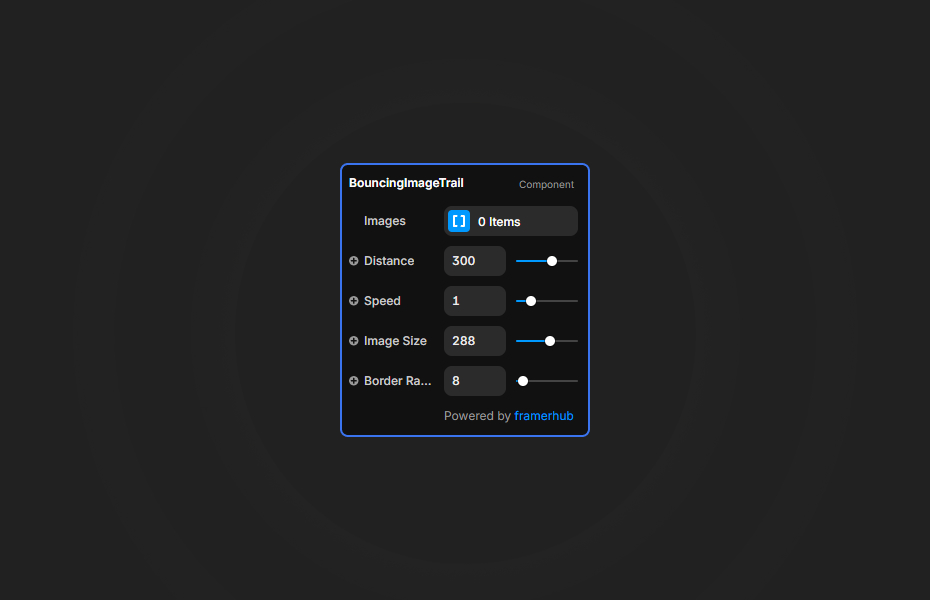
Everything is adjustable right in the Framer properties panel.
General Settings
- Upload or link your array of images
- Change the
Distancevalue to control how frequently images spawn - Adjust the
Image SizeandBorder Radiusto match your aesthetic
Quick Tips
Best Performance — Keep your source images optimized and avoid passing extremely high-resolution assets to prevent loading spikes.
Size & Radius — Use a smaller Image Size combined with a rounded Border Radius for a bubble-like effect, or larger sizes with sharp edges for a brutalist vibe.
Layering — Ensure the container has enough vertical space so the bounce effect has room to resolve at the bottom of the section.
License
Single Use License — Use in one client project with full commercial rights. No redistribution. 1 license = 1 client.
Refund Policy
Due to the nature of our digital products, we are unable to offer refunds, but we're here to assist you with any questions or concerns!
Why Designers Love This
It turns a simple cursor movement into a delightful micro-interaction that users literally can't stop playing with.
Bouncing Image Trail - $9
Add an immersive, GSAP-powered bouncing image trail to your cursor.
You might also like
Why Choose Framer Hub Components
Loved by Framer teams
Used by Framer professionals who need premium, no-code experiences.
"The Best Framer CMS Filtering Plugin I've Found — Truly a Game-Changer. I've tested a lot of Framer CMS filtering and sorting components — both free and paid — and this is by far the best one I've come across."
"He really helped me out when I needed assistance adding it to my Framer project. Super fast customer support highly recommend!"
"We had tried a couple of other Framer CMS filter components but they were buggy, hard to use and support was slow or non-existent. FramerCMSFilter is easier to use and has a lot of added functionality."
Got questions? We've the answers
Got questions? We've the answers
Everything you need to know about FramerHub.