Framer vs Wix: Honest Comparison for 2026
 Shahul
You're building a client site. Maybe a property listing. A SaaS landing page. A portfolio. You've landed on two options: Framer or Wix.
Both let you publish without writing code. That's where the similarity ends.
Wix is designed for people who want to get online fast. Templates, AI site builder, drag-and-drop. It works. For a lot of people, it works really well.
Framer is designed for people who care about how the site looks, moves, and performs. You start with a blank canvas. You build exactly what the design calls for. Then you publish.
I build Framer plugins used by 2,000+ Framer users. This comparison is based on hands-on experience with both platforms.
Quick verdict
| Category | Framer | Wix | Winner |
|---|---|---|---|
| Design freedom | Pixel-perfect canvas, no constraints | Template-based, structured editing | Framer |
| Ease of use | Design-tool learning curve | Drag-and-drop, AI site builder | Wix |
| Performance | 90+ Lighthouse scores | 50–75 typical | Framer |
| Animations | Production-grade, scroll-triggered | Basic presets, limited interactions | Framer |
| E-commerce | Third-party (Shopify integration) | Native, full-featured | Wix |
| App ecosystem | A growing marketplace of focused plugins | 1,000+ app marketplace | Wix (quantity) |
| CMS | Native, 1,000 items (Pro) | Native, larger limits | Wix |
| AI tools | Layout generation assist | Full ADI site builder | Wix |
| Pricing (entry) | $10/mo | $17/mo | Framer |
| SEO baseline | Solid, clean output | Adequate, heavier runtime | Framer |
Framer wins on design quality, performance, and professional capabilities. Wix wins on accessibility, all-in-one e-commerce, and AI-assisted setup. Different tools for different builders.
Building in Framer? Close the gaps with plugins
CMS filtering, forms, components, and more. Used by 2,000+ Framer users.
What Framer does better
Design freedom that matches the brief
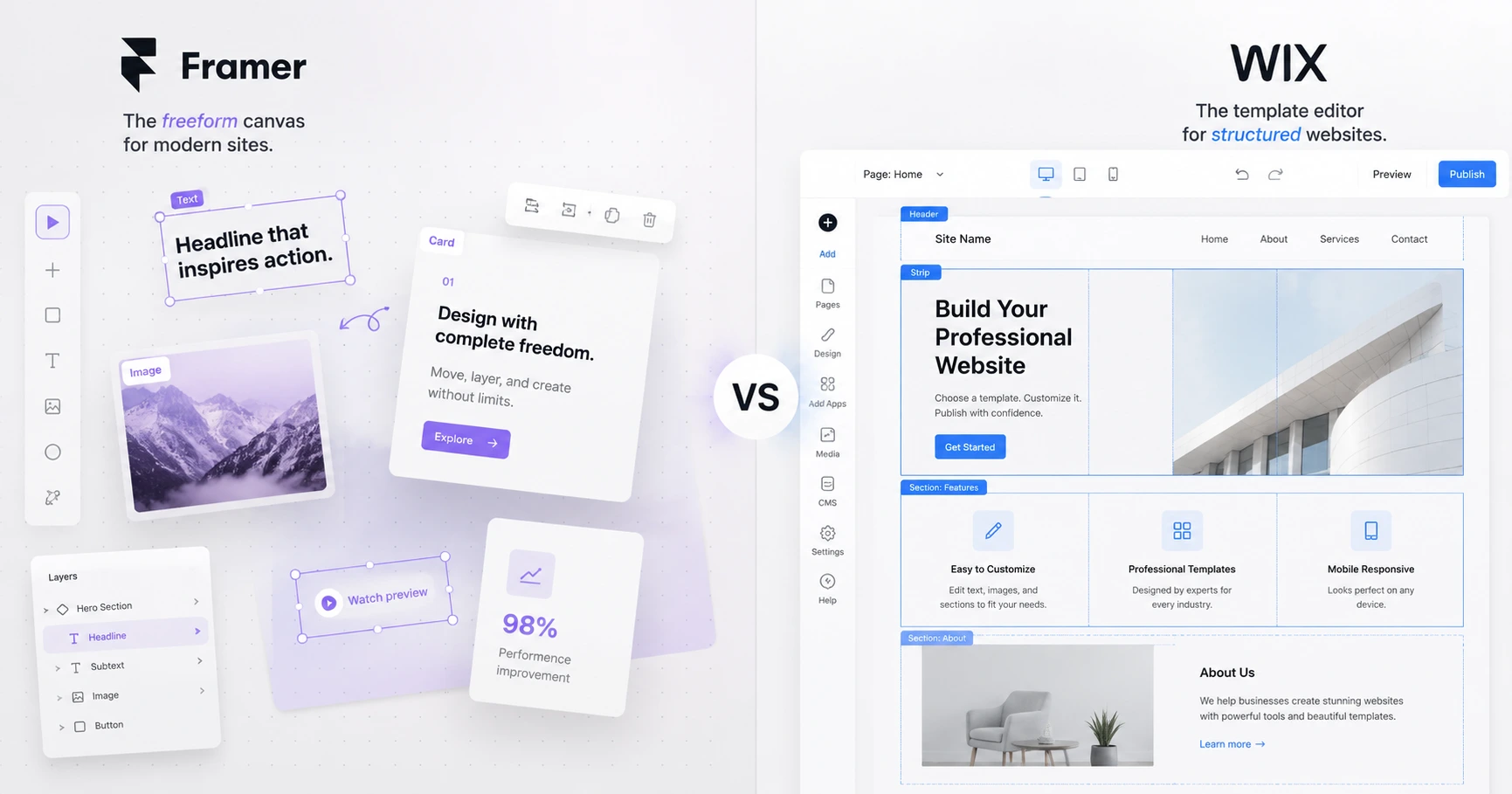
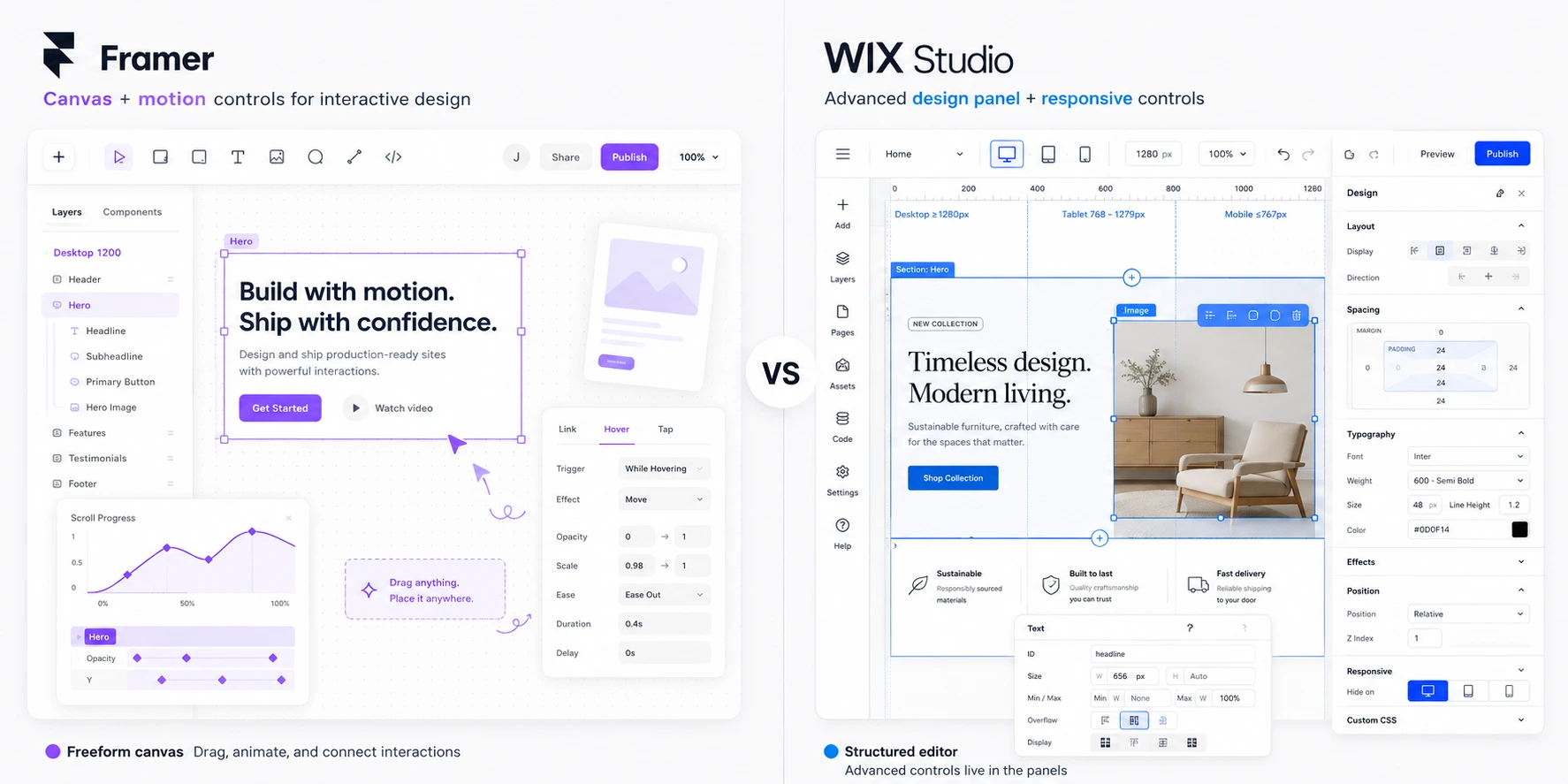
Framer's canvas works like Figma. No template structure underneath. Every element goes exactly where you need it. Custom layouts, overlapping sections, creative typography, without fighting a grid system you didn't design.
Wix, including Wix Studio, is template-based at its core. You can customize a lot. But you're working within an intended structure. Stepping outside it means workarounds.
The real-world impact: agencies choose Framer because they can ship exactly what the design calls for. Not "as close as the template allows." A landing page that takes five hours to match in Wix ships in two in Framer.
Performance that affects search rankings
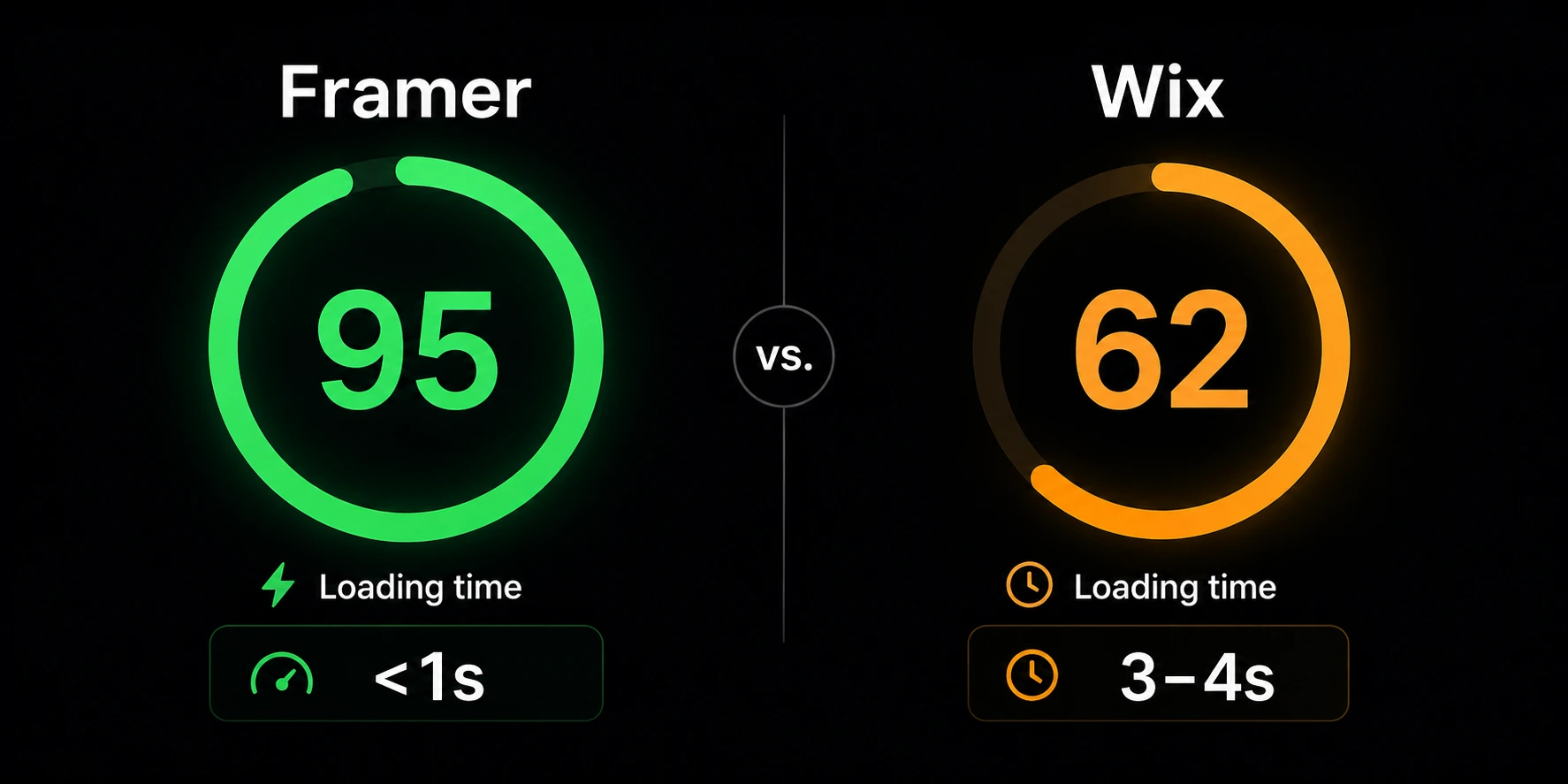
This is the clearest technical gap. Framer sites are pre-rendered and served from Cloudflare's CDN with HTTP/3. Out of the box: consistent 90+ Google Lighthouse scores without extra optimization work.
Wix loads the full platform runtime on every page. Even simple pages carry that JavaScript overhead. Typical scores land between 50 and 75, below what Google considers "good" for Core Web Vitals.
Google uses Core Web Vitals as a ranking signal. A Framer site loading under one second versus a Wix site loading in three or more seconds is a measurable difference in search performance. For client sites where SEO matters, this gap is significant.
For more on getting the most from Framer's SEO capabilities, see our
Animations that actually ship
Framer's animation system is built for the web. Scroll-triggered effects, spring physics, page transitions, hover states, parallax, drag gestures, all configurable in the visual editor, all shipping to your live site as designed.
Wix offers fade, slide, and zoom presets. Wix Studio improved the interactions panel, but neither is close to Framer's depth. The gap is clearest on scroll-driven storytelling and layered micro-interactions. SaaS landing pages, product showcases, creative campaigns, anywhere motion communicates value before words do.
A plugin ecosystem built by professionals
Framer's growing marketplace of plugins solves specific problems that come up on real client projects. They're not generic widgets. They're built by people who use Framer daily:
, real-time search, multi-field filtering, price range sliders, and sorting for CMS content. Free tier available, $79 Personal or $179 Agency (one-time) , 35+ form components with proper validation, multi-step flows, conditional logic, and file uploads. Free tier available, $99 Premium or $189 Pro (one-time) , 90+ premium UI components in one searchable plugin. Auto-updates. $59 All Access
Wix's App Market has 1,000+ integrations. Many are broad-category tools, not Framer-level depth. Quantity isn't the same as quality for professional projects.
Lower cost for marketing sites and portfolios
Framer's Basic plan at $10/mo gives you a custom domain, SSL, CDN, and analytics. Wix's comparable Light plan starts at $17/mo.
For freelancers managing client sites, that $84/year difference per site compounds. Five client sites saves $420/year on Framer vs Wix.
What Wix does better
Ease of use for non-designers
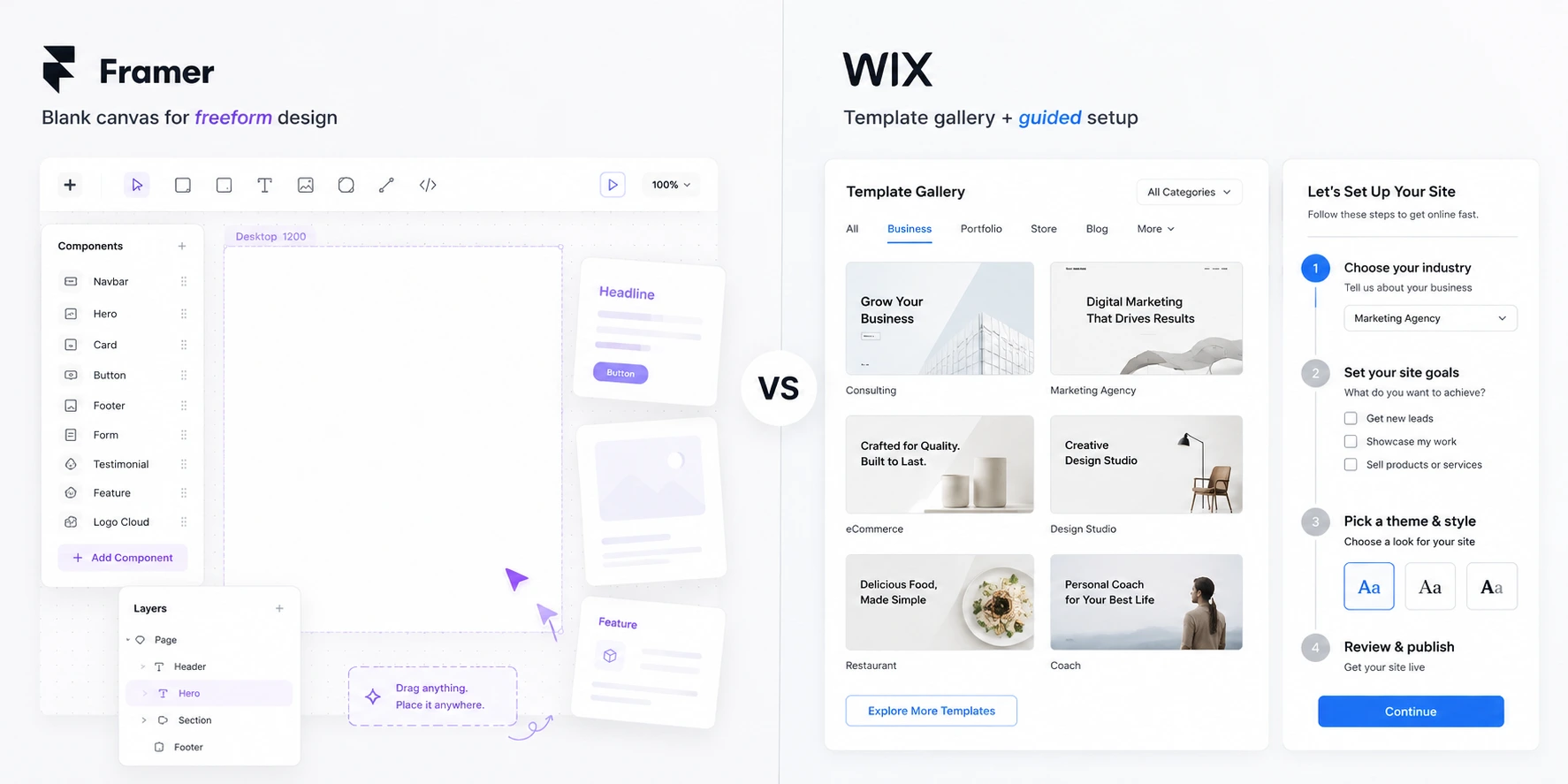
Wix is built for people who've never opened Figma. Guided template setup, drag-and-drop editor, and a deep library of starting-point designs. Anyone can get a real site live without a design background.
Framer assumes design-tool familiarity. If you come from Figma or Sketch, Framer clicks immediately. If you don't, the learning curve is real. The blank canvas can be overwhelming without a design background.
Who this matters to: small business owners, solopreneurs, anyone building their own site who wants a result quickly without hiring a designer.
AI-assisted site creation
Wix's ADI generates a complete website from a short questionnaire. Describe your business, choose a style, and Wix builds a functional starting point in minutes. Not perfect, but genuinely useful for non-technical users who need something live fast.
Framer offers AI-powered layout generation, but it's a design assistant. It assumes you know what you want and helps you get there faster.
Native e-commerce, the real advantage
Wix's e-commerce is comprehensive and built in:
- Unlimited products with variants
- Inventory management and tracking
- Shipping rules, tax calculations, and label printing
- Abandoned cart recovery emails
- Subscription products and recurring payments
- Service bookings and scheduling
- Multiple payment gateways (Wix Payments, PayPal, Stripe)
- Point of sale integration
Framer has no native e-commerce. You need a third-party integration on top of your Framer plan. For any business where selling online is the primary purpose, physical products, services, bookings, memberships, Wix is the more direct path.
Bookings, restaurants, and service businesses
Beyond standard e-commerce, Wix has purpose-built tools Framer doesn't:
- Wix Bookings: Appointment scheduling with calendar sync and payment collection
- Wix Restaurants: Online ordering, delivery management, menus
- Wix Events: Ticketing, RSVPs, event pages
- Wix Blog: Multi-author blogging with RSS and categories
These vertical-specific features are production-ready. Framer can build sites for any of these use cases, but you'll need third-party services (Calendly, Eventbrite, etc.) for the backend.
Client management with Wix Studio
Wix Studio, the professional agency tier, adds:
- White-label client dashboards
- Client billing and site transfer
- Team permissions and multi-user access
- Responsive AI (auto-adapts designs across breakpoints)
- Reusable design systems across multiple sites
Framer's collaboration features are improving, but there's no equivalent built-in client management dashboard. Agencies managing 20+ client sites in Wix Studio have a more structured handoff and maintenance workflow.
Wix Studio vs Framer: the direct comparison
Wix Studio launched in late 2023 targeting designers and agencies. It's worth addressing directly.
Where Wix Studio competes with Framer:
- Responsive AI adapts designs across screen sizes
- Advanced canvas with more layout control than standard Wix
- Client management built into the platform
- Design systems and reusable components
- White-label options for agency work
Where Framer still leads:
- True canvas freedom (no template foundation underneath)
- Production-grade animation system
- Performance (Wix Studio sites still carry the Wix runtime overhead)
- Plugin ecosystem depth for professional web functionality
- Pre-rendered output for Core Web Vitals performance
Wix Studio is the best version of Wix for professionals. It's still a template-based system with a more capable layer on top. Framer is a design tool that publishes. Different ceilings.
CMS comparison
Both platforms have native CMS for content-driven sites.
Framer CMS:
- Up to 1,000 items on Pro plan
- Multiple field types (text, image, link, boolean, date, color)
- CMS-connected components for dynamic layouts
- Native Dynamic Filters for basic filtering use cases
- CSV import/export
Wix CMS:
- Larger item limits across plans
- Multi-reference fields and cross-collection relationships
- Dynamic pages from CMS data
- Member-only content gating
- More built-in filtering options natively
For content-heavy sites, Wix has the CMS advantage in raw capacity. For Framer sites that need advanced filtering, real estate listings, job boards, car marketplaces, resource libraries, the
| CMS Feature | Framer | Wix | Framer + CMS Filter |
|---|---|---|---|
| Item limits | 1,000 (Pro) | Higher across plans | 1,000 (Pro) |
| Multi-field filtering | Basic (Dynamic Filters) | Partial | Yes (8+ filter types) |
| Realtime search | No | No | Yes |
| Price range slider | No | No | Yes |
| URL parameters | No | No | Yes |
| Cross-collection refs | Limited | Yes | Limited |
The ICP language here is specific: "I'm building a real estate site where users need to filter by location, price, and property type." Framer's native Dynamic Filters handle simple one-condition cases. For a site with three or more filter types working simultaneously, CMS Filter fills that gap.
SEO comparison
Both handle SEO fundamentals. The performance gap is where the real difference lives.
Framer SEO:
- Meta titles and descriptions per page
- Open Graph and Twitter card support
- Auto-generated sitemap
- Clean semantic HTML output
- Pre-rendered pages for fast indexing
- 90+ Core Web Vitals scores out of the box
Wix SEO:
- Meta titles and descriptions
- Wix SEO Wiz (guided setup)
- 301 redirect management (built-in)
- Granular sitemap priority settings
- Structured data tools
- Slower page loads affecting rankings
Framer's performance advantage is real SEO leverage. Wix's redirect management and SEO Wiz tools are useful, they're partly compensating for platform-level performance overhead that Framer avoids entirely.
For detailed Framer SEO optimization, see our
Pricing breakdown
| Plan | Framer | Wix |
|---|---|---|
| Free | Unlimited projects, framer.site domain | Limited features, Wix branding |
| Entry | Basic: $10/mo | Light: $17/mo |
| Mid | Pro: $30/mo (1,000 CMS items) | Core: $29/mo |
| Top | Scale: $100/mo | Business: $39/mo |
| Enterprise | Custom | Business Elite: $159/mo |
| E-commerce | Via third-party integration | Business plans include it |
Framer is cheaper at entry ($10/mo vs $17/mo) and comparable at mid-range ($30 vs $29). For e-commerce, Wix is more cost-efficient since the feature is built in.
Realistic cost by use case:
- Portfolio or marketing site: Framer wins ($120/year vs $204/year)
- E-commerce store: Wix is likely more cost-effective all-in
- Agency managing multiple client sites: depends on whether design quality or client management tooling is the priority
Get the full Framer plugin ecosystem
CMS filtering, forms, components, and more. Trusted by 2,000+ Framer users.
When to choose Framer
Choose Framer when:
- Design quality is what you're selling. Custom layouts, creative direction, brand-forward sites that need to look exactly right.
- Performance affects the business. Competitive SEO, fast user experience, 90+ Lighthouse scores. Sites where rankings matter.
- Animations tell the story. Product showcases, scroll-driven landing pages, interactive experiences.
- You're a designer or developer. Comfortable with design tools, want professional-grade output.
- Budget matters on simple sites. $10/mo vs $17/mo for marketing pages and portfolios.
- You're building a directory or listing site. Real estate, job boards, car marketplaces, Framer's CMS plus
handles it. - You need advanced forms inside Framer. Client onboarding, job applications with file uploads, multi-step flows,
adds what native forms can't do.
Best Framer use cases: Agency portfolios, SaaS landing pages, creative showcases, directory sites, design-forward marketing sites, sites where performance directly affects SEO.
When to choose Wix
Choose Wix when:
- You're not a designer. You need templates and AI-assisted setup to get a real result without design experience.
- E-commerce is the primary goal. Native store with inventory, shipping, and payment handling, no additional integrations.
- You run a service business. Bookings, appointments, restaurant ordering, event ticketing.
- AI assistance speeds you up. Generate a functional starting point from a business description.
- Client management is part of the workflow. Agencies using Wix Studio for client dashboards, billing, and site handoffs.
- You want everything in one place. Domain, hosting, email, CMS, commerce, all from one provider.
Best Wix use cases: Small business sites, online stores, restaurants, service businesses, non-technical solopreneurs, agencies using Wix Studio for managed client work.
Comparing Framer to other platforms
Looking at more options? We've compared Framer with every major website builder:
, professional no-code platforms head to head , template-first vs design-first , modern no-code vs traditional CMS
If you're evaluating where Framer fits in your workflow,
FAQ
Is Framer better than Wix in 2026?
For designers and developers who want pixel-perfect control and fast performance, Framer is better. For non-technical users who want AI-assisted site creation and built-in e-commerce, Wix is better. Framer sites consistently score 90+ on Lighthouse; Wix typically scores 50–75 due to platform overhead. Neither is universally better. The right choice depends on who's building and what the site needs to do.
What's the difference between Wix Studio and Framer?
Wix Studio is Wix's professional tier for agencies and freelancers. It offers advanced layout tools, responsive AI, and client management features. Framer is a design-to-publish platform with a Figma-like canvas, production-grade animations, native CMS, and a
Is Framer faster than Wix?
Yes. Framer sites are pre-rendered and served from Cloudflare's CDN, consistently scoring 90+ on Google Lighthouse. Wix sites carry JavaScript overhead from the platform framework, typically scoring 50–75. This performance gap directly impacts Core Web Vitals scores, user experience, and search rankings.
Can Wix do animations like Framer?
Wix has basic animation presets and Wix Studio has improved interaction tools, but neither matches Framer's depth. Framer offers scroll-triggered animations, spring physics, page transitions, parallax effects, and complex interaction sequences, all configurable in the visual editor and all shipping to your live site as built. The gap is most visible on scroll-driven sites and interactive landing pages.
Is Framer cheaper than Wix?
At entry level, yes. Framer's Basic plan is $10/mo vs Wix's Light plan at $17/mo. Both include hosting, SSL, and a custom domain. The gap narrows at mid-range ($30 vs $29 per month). For e-commerce, Wix may be more cost-effective since the feature is native to the platform.
What about forms and filtering in Framer vs Wix?
Wix has more built-in form and filtering capabilities than Framer out of the box. For Framer, the plugin ecosystem fills those gaps.
Bottom line
Wix and Framer are built for different people with different goals.
Choose Framer for professional design quality, fast performance, and creative control. When you need to build a real estate listing site, a SaaS landing page, or a portfolio that actually reflects the work, Framer delivers. Its
Choose Wix for ease of use, native e-commerce, AI-assisted site building, and an all-in-one ecosystem that handles everything from domain to checkout.
If you're reading a Framer vs Wix comparison, you're probably past "I need the easiest option." That usually means Framer is where you're heading.
Last updated: June 2026
Shahul
Founder of FramerHub