Framer vs Squarespace: Honest Comparison for 2026
 Shahul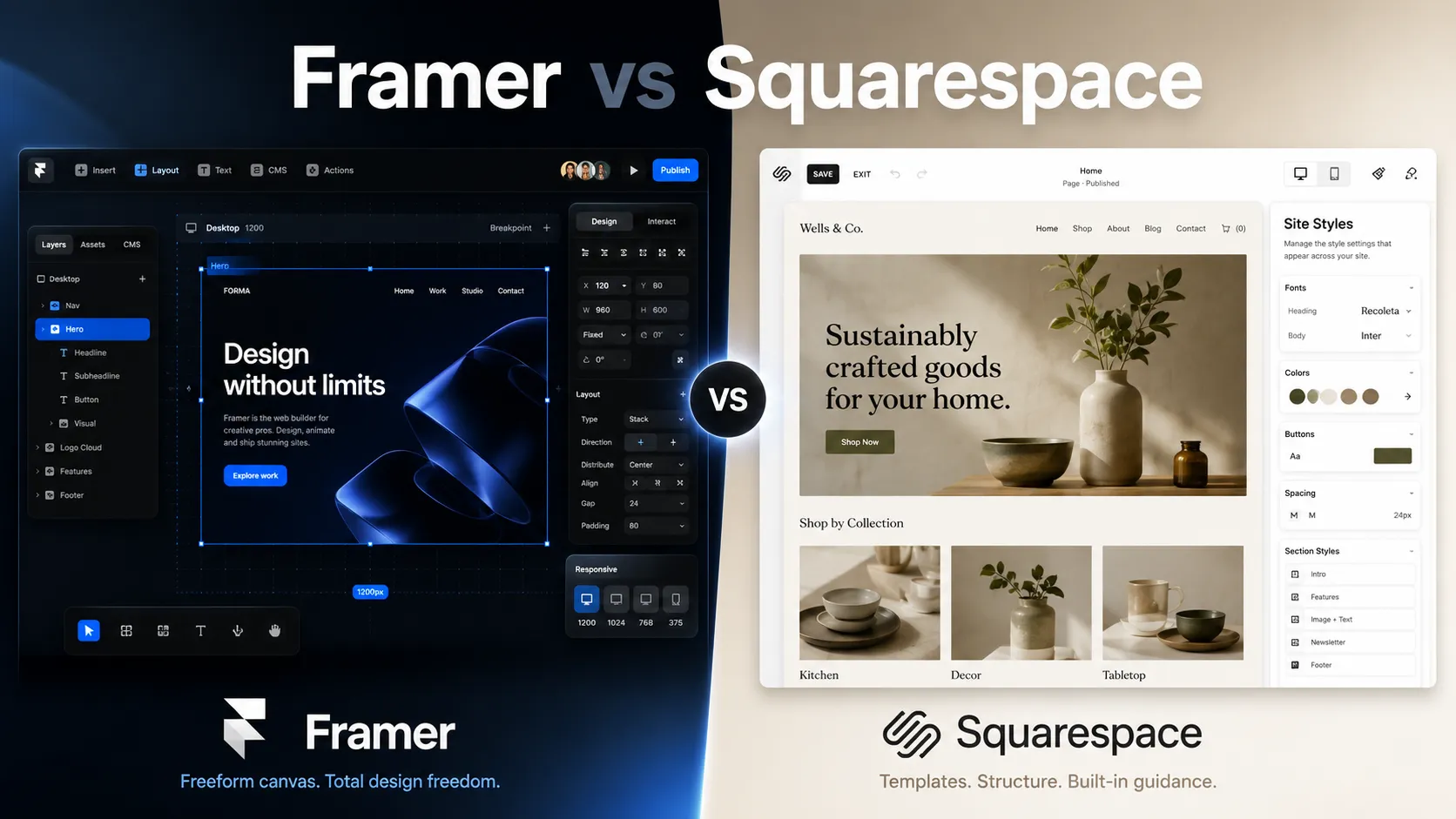
You have a project to build. The question isn't which platform is "better." It's which one fits your project, your skills, and your client's needs.
Squarespace makes building a website easy. Framer makes building a website beautiful. That's the honest one-line summary.
I build
Quick verdict
Neither platform wins outright. They serve different people with different priorities.
| Category | Framer | Squarespace | Edge |
|---|---|---|---|
| Design freedom | Pixel-perfect canvas, unlimited layouts | Template-based, structured editing | Framer |
| Ease of use | Design tool learning curve | Guided, beginner-friendly | Squarespace |
| Performance | 90+ Lighthouse scores out of the box | 40-70 scores, template overhead | Framer |
| Animations | Production-grade, scroll-triggered | Basic fade/slide presets | Framer |
| E-commerce | Third-party required | Native, full-featured | Squarespace |
| Scheduling | Third-party required | Native Acuity scheduling | Squarespace |
| Blogging/CMS | 1,000-item limit (Pro plan) | Unlimited posts, scheduling | Squarespace |
| Pricing (entry) | $10/mo Basic | $16/mo Basic | Framer |
| Plugin ecosystem | A growing marketplace of plugins | Limited extensions | Framer |
Framer wins on design control, animations, and performance. Squarespace wins on simplicity, all-in-one commerce, and zero-friction setup for non-designers.
Building in Framer? Close the gaps with plugins
CMS filtering, forms, components, and more. Used by 2,000+ Framer users.
What Framer does better
Design freedom without limits
This is where the gap is widest.
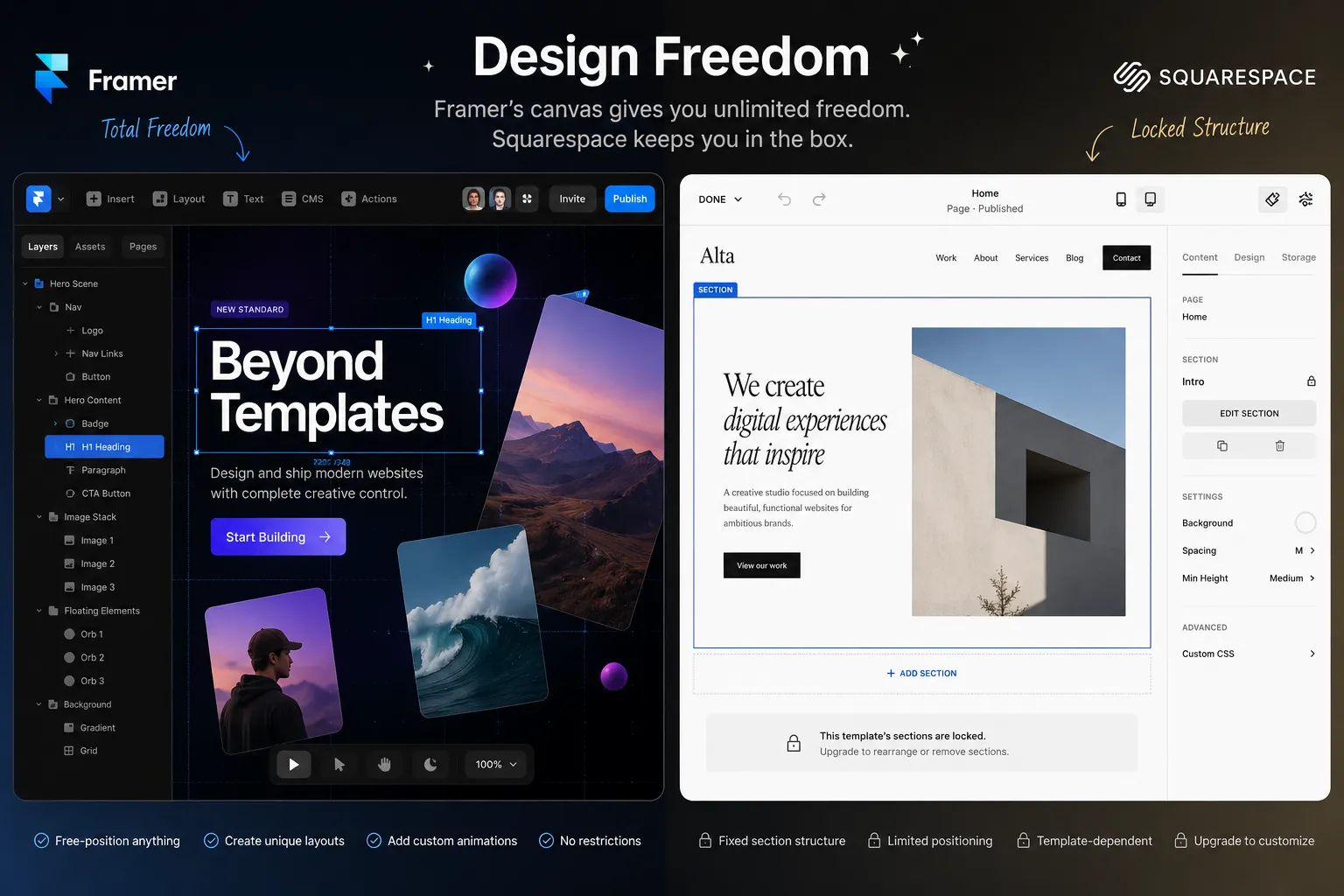
Framer gives you a visual canvas where every pixel is yours. No template constraints. No rigid grid systems. No "this section only supports these layouts." You place elements anywhere. Layers, overlaps, diagonal text, custom shapes. It works the way your design brain works.
Squarespace uses a template-first approach. You pick a template, then customize within its structure. The templates look polished. But you're working within guardrails. Break outside the intended layout and you're fighting the system or injecting custom CSS.
A hero section with overlapping elements, diagonal text, and layered animations takes minutes in Framer. In Squarespace, you're either injecting code or accepting the template's limitations.
This is why Framer has become the default for serious web designers. Not because Squarespace is bad. Because creative professionals need control, and Framer gives it to them.
Performance that ranks
Framer sites consistently score 90+ on Google Lighthouse without any optimization work. Pages are served from Cloudflare's CDN. Images are auto-optimized. JavaScript overhead is minimal.
Squarespace sites carry template bloat. On a simple page you're loading the full template framework. Typical Squarespace Lighthouse scores land between 40-70 on performance.
Google uses Core Web Vitals as a ranking signal. Faster sites rank higher. Framer gives you that built in.
If you're building a client site in a competitive niche where SEO matters, this difference compounds over time.
Animations and interactions
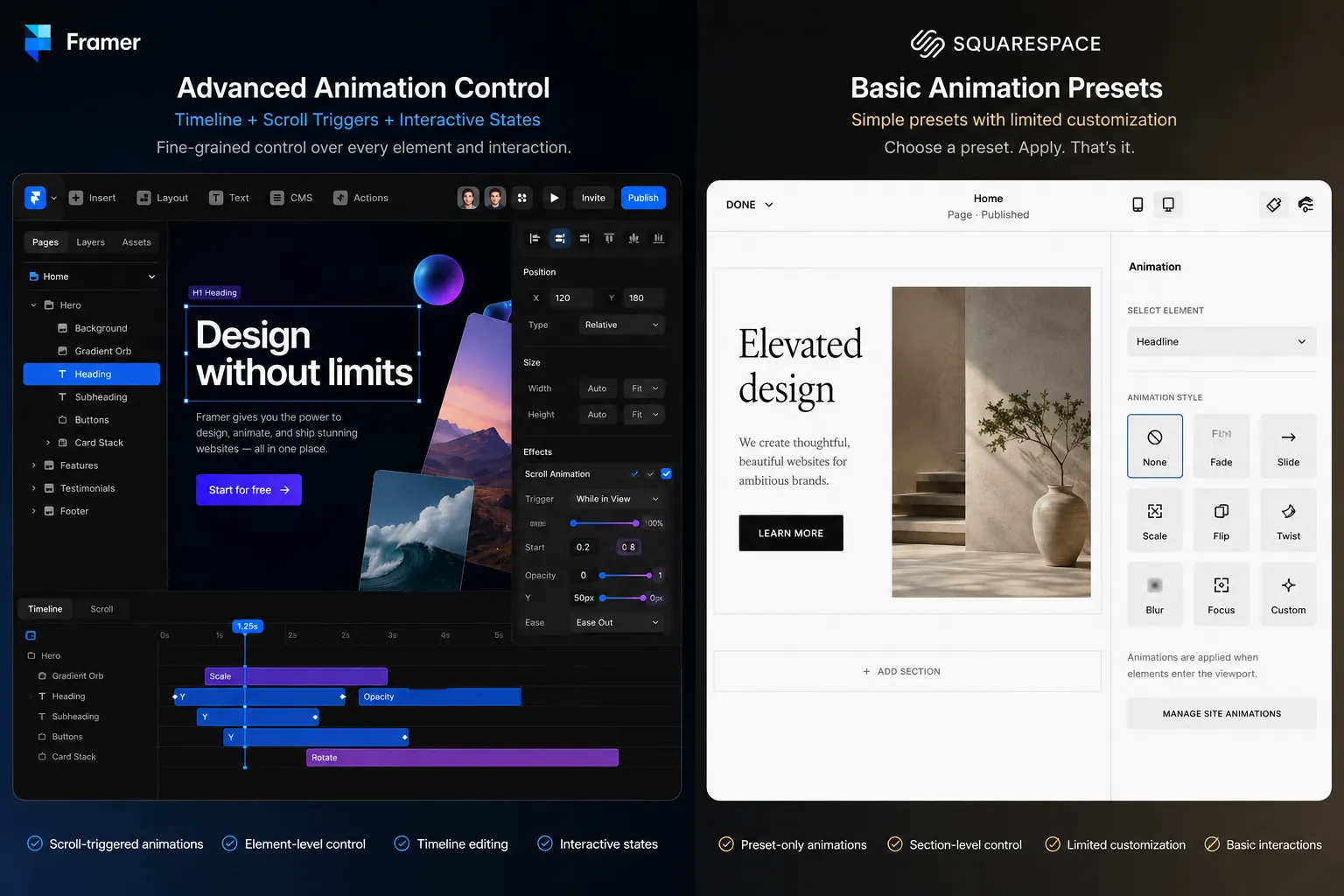
Framer treats motion as a first-class feature. Scroll-triggered animations, page transitions, hover effects, spring physics, parallax. All configurable in the visual editor. No code required. These ship to production.
Squarespace offers basic animation presets: fade in, slide up, scale. They handle subtle touches. But you can't create custom scroll-driven experiences or complex interaction sequences.
When animations communicate the brand or product value. When you need a landing page that moves like the product it's selling. Framer is the right tool.
A growing plugin ecosystem
Framer has a growing marketplace of plugins that extend its capabilities. Need advanced CMS filtering for a directory site?
Squarespace has a more closed extension ecosystem. That keeps things simple. But it limits what you can build without custom code.
Starting from a template without a ceiling
Framer's template library gives you a structural starting point. You can modify every element, swap layouts, and build away from the original template entirely. The template is scaffolding. You own the structure.
Squarespace templates are more finished out of the box, which is genuinely useful for non-designers. But harder to break out of when you want something custom.
What Squarespace does better
Ease of use for non-designers
Squarespace was built for people who have never touched a design tool.
Pick a template. Swap in your content. Adjust colors and fonts. Publish. A restaurant owner, photographer, or service provider can have a professional-looking site in a few hours. No design experience needed. No learning curve.
Framer's learning curve is steeper. If you're comfortable with Figma, Framer feels natural immediately. If you've never placed an element on a canvas, Squarespace gets you live faster and with less frustration.
This matters a lot for clients who want to manage their own site after you hand it off. Squarespace's editing interface is something a non-technical client can pick up in 30 minutes. Framer's CMS editor is manageable but requires more explanation.
Native e-commerce that actually works
Squarespace Commerce is a complete online store, built in:
- Unlimited products
- Inventory management
- Abandoned cart recovery
- Shipping calculations and tax management
- Gift cards and subscriptions
- Multiple payment options (Stripe, PayPal, Apple Pay)
Framer has no native e-commerce. You can pair it with third-party tools, but Squarespace's native solution is more integrated and has fewer moving parts.
If your client is selling 20+ products and managing inventory, Squarespace is meaningfully easier to set up and maintain. One platform. No extra subscriptions.

Built-in scheduling
Most Framer vs Squarespace comparisons skip this. They shouldn't.
Squarespace includes Acuity Scheduling: a full appointment booking system with calendar sync, automated reminders, payment collection, and intake forms. It's built in. No extra subscription. No third-party embed.
Framer has no native scheduling. You'd add Calendly, Cal.com, or a similar tool. Which works. But it adds another tool to manage and another embed to style to match your site.
For service businesses: consultants, coaches, therapists, personal trainers, photographers who book sessions. Squarespace covers this workflow entirely within one platform. That's a real advantage.
Content volume and blogging
Squarespace was built with content publishers in mind. Unlimited blog posts. Scheduled publishing. Categories, tags, multiple contributors, RSS feeds, podcast hosting, and newsletter integration baked in.
Framer's CMS handles blogs well but caps at 1,000 items on the Pro plan. Fewer built-in content management features. For a serious blog, podcast, or content archive, Squarespace handles more volume out of the box.
All-in-one simplicity
Squarespace bundles domain registration, hosting, email marketing (via Squarespace Email Campaigns), scheduling, analytics, and commerce. One login. One bill. One support team.
Framer focuses on design and publishing. Everything else, email marketing, e-commerce, booking, advanced analytics, requires third-party tools or plugins. More powerful in each individual area. But more to manage overall.
For clients who want one vendor and one dashboard, Squarespace delivers that.
When to choose Framer
Choose Framer when:
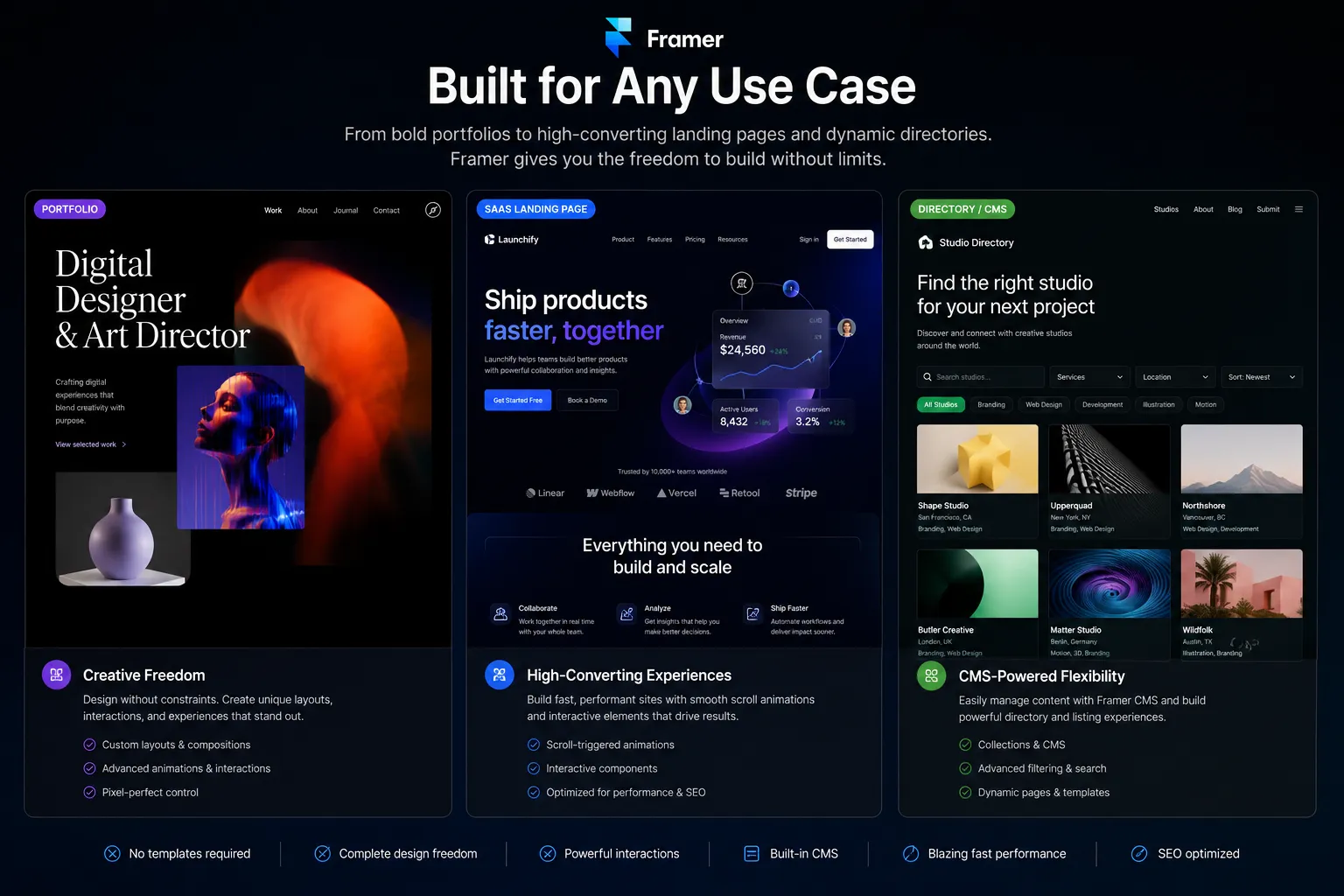
- Design quality is non-negotiable: custom layouts, creative portfolios, brand-forward sites that need to stand out
- Animations are part of the experience: scroll interactions, micro-animations, page transitions
- Performance matters for SEO: competitive niches where Core Web Vitals affect rankings
- You're a designer or developer: comfortable with design tools, want full creative control
- The budget is tight on simple projects: $10/mo vs $16/mo for a portfolio or landing page
- You need advanced CMS capabilities: directory sites with advanced filtering, searchable resource libraries, dynamic catalogs
Best Framer use cases: Agency portfolios, SaaS landing pages, creative showcases, directory sites, design-forward brand sites, freelancer portfolios.
When to choose Squarespace
Choose Squarespace when:
- You're not a designer: want professional results without design tool experience
- E-commerce is the primary goal: built-in store with inventory, shipping, and checkout without extra subscriptions
- You need scheduling: service businesses with appointment-based workflows
- Content volume is high: blogs with hundreds of posts, podcast archives, newsletters
- You want everything in one place: domain, hosting, email, commerce, scheduling, analytics
- Quick setup matters more than custom design: polished templates get you live in hours
- Your client will manage the site themselves: Squarespace's editing UI is easier to hand off
Best Squarespace use cases: Small business sites, restaurants, photographers, online stores, service providers, podcasters, personal blogs, wedding sites.
Pricing breakdown
| Plan | Framer | Squarespace |
|---|---|---|
| Free | 1 project, framer.site subdomain | Staging mode only, no custom domain |
| Entry | Basic: $10/mo | Basic: $16/mo |
| Mid | Pro: $30/mo (1,000 CMS items) | Core: $23/mo |
| Top | Scale: $100/mo | Plus: $39/mo |
| Enterprise | Enterprise: Custom | Advanced: $99/mo |
Framer is cheaper at entry level. $120/year vs $192/year for a custom domain and SSL.
At the mid tier, Framer's Pro ($30/mo) is more expensive than Squarespace's Core ($23/mo). For e-commerce, the comparison shifts further. Squarespace includes online selling on all plans (transaction fees apply on Basic and Core). Squarespace becomes the more cost-effective all-in-one choice for product-selling businesses.
Framer is cheaper for portfolios and marketing sites. Squarespace is more cost-effective if built-in e-commerce or scheduling is part of the project.
The filtering gap for directory and listing sites
Here's something most Framer vs Squarespace comparisons miss.
When a client needs a directory site with filtering, things get complicated on both platforms.
Your client is building a property listing site. Users need to filter by location, price range, and property type simultaneously. Or it's a job board. Or a car marketplace. Or a resource library.
Squarespace has no native filtering for collection pages. Any filtering requires custom code or JavaScript injection. Not a quick fix.
Framer's native Dynamic Filters handle basic single-field filtering. Useful for simple category dropdowns. But real directory sites need more: multi-field search, price range sliders, active filter chips that users can remove individually, AND/OR logic, filters that stay synced across mobile and desktop.
This is where Framer with plugins pulls ahead.
A real estate listing with price range, location, and bedroom count filters? That's a five-minute setup with CMS Filter. The same result on Squarespace would require custom development. Trusted by 2,000+ Framer users. Free tier available, $79 Personal, $179 Agency. One-time pricing.
| Filtering feature | Squarespace | Framer native | Framer + CMS Filter |
|---|---|---|---|
| Category filter | Custom code | Yes (Dynamic Filters) | Yes |
| Realtime search | Custom code | No | Yes |
| Price range slider | Custom code | No | Yes |
| Multi-field filtering | Custom code | No | Yes |
| Active filter chips | Custom code | No | Yes |
| AND/OR logic | Custom code | No | Yes |
For anyone building directory sites, job boards, or searchable catalogs, Framer with plugins is the stronger choice. The same functionality on Squarespace needs a developer.
The forms gap
Framer's native form gives you a text input and a submit button. Fine for a simple contact form.
When a client needs a multi-step onboarding form with conditional logic and file uploads? That's where native Framer hits a wall. Embedding Typeform or Tally breaks visual consistency. The form looks nothing like the rest of the site.
Squarespace's built-in form handles more than Framer natively. But it's still limited when clients need multi-step flows or advanced logic. For complex forms, either platform ends up needing a solution.
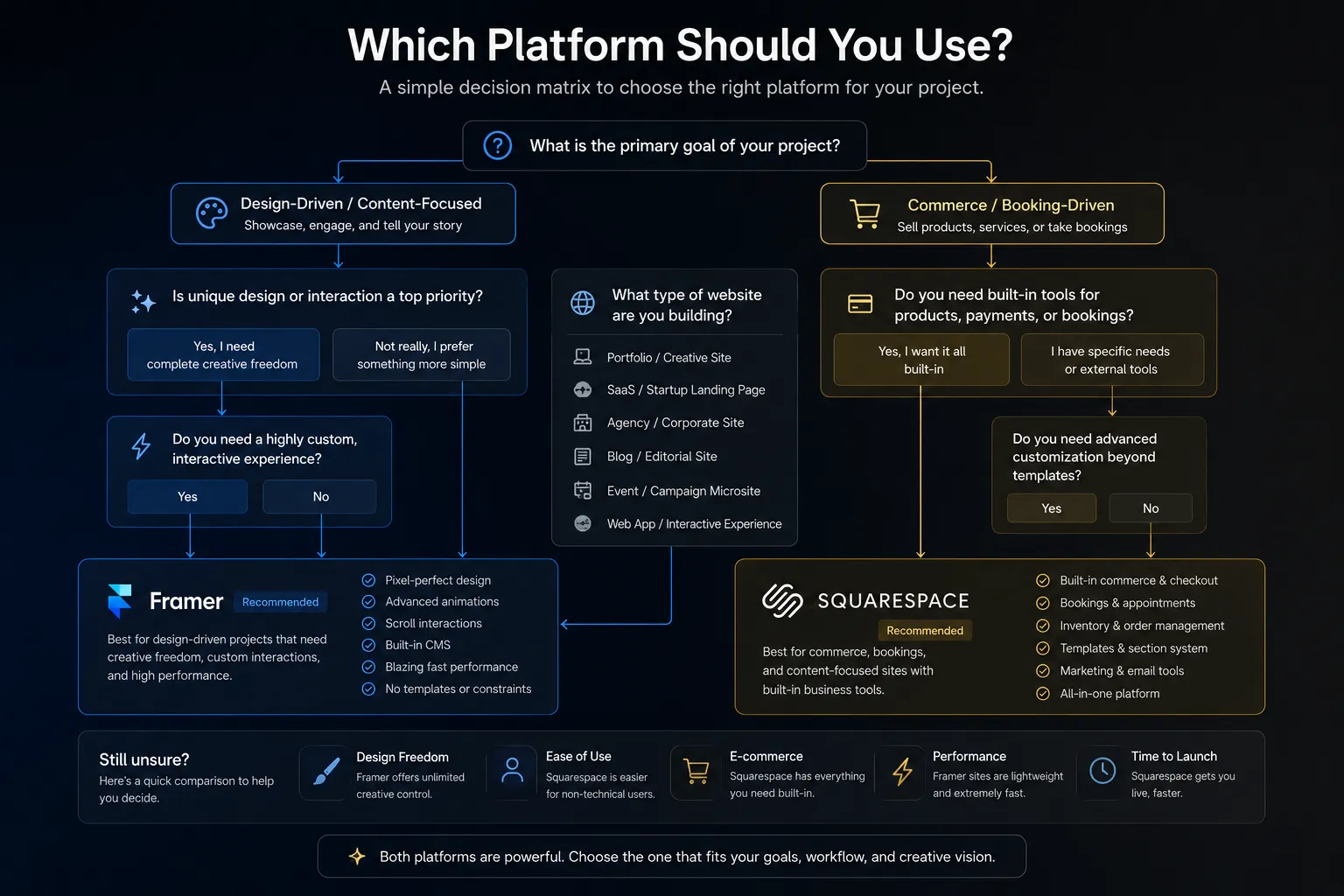
Project-type decision matrix
Skip the feature lists. Here's the practical answer by project type:
| Project type | Better platform | Why |
|---|---|---|
| Portfolio site | Framer | Custom layouts, animations, speed |
| Restaurant site | Squarespace | Templates, menus, reservations, simplicity |
| SaaS landing page | Framer | Scroll animations, custom interactions, performance |
| Online store (20+ products) | Squarespace | Native inventory, cart, shipping |
| Photography showcase | Either | Squarespace for templates; Framer for creative layouts |
| Service business with booking | Squarespace | Built-in Acuity scheduling |
| Directory or listing site | Framer | CMS + |
| Personal blog | Squarespace | Unlimited posts, scheduling, RSS |
| Agency portfolio | Framer | Design quality differentiates your work |
| Wedding site | Squarespace | Templates, RSVP forms, simplicity |
Rule of thumb: design-driven projects go Framer. Content, commerce, or booking-driven projects go Squarespace.
What about SEO?
Both platforms handle the basics. Meta titles, descriptions, sitemaps, Open Graph tags. Neither gives you a hard SEO disadvantage from a technical setup perspective.
The meaningful difference is performance. Framer's 90+ Lighthouse scores versus Squarespace's 40-70 range.
Google has confirmed Core Web Vitals are a ranking factor. Faster load times, better Largest Contentful Paint, lower Cumulative Layout Shift. Framer wins on all three by default.
For competitive niches where rankings matter, Framer's speed edge compounds over time. For a local restaurant site or personal portfolio where direct traffic is primary, this distinction matters less.
Squarespace does have one SEO convenience: automatic 301 redirects when you change URLs. Less common in Framer without manual setup.
Comparison with other platforms
Looking at more options?
: two professional no-code platforms compared : drag-and-drop builders side by side : modern no-code vs traditional CMS
FAQ
Is Framer better than Squarespace?
For designers who want pixel-perfect control, custom animations, and high performance, Framer is better. For beginners who want a polished site fast with built-in e-commerce and scheduling, Squarespace is better. It depends on how much design control you need and whether you're primarily selling products or booking services.
Is Framer harder to learn than Squarespace?
Yes. Squarespace is built for non-technical users with guided templates and drag-and-drop editing. Framer has a steeper learning curve, closer to a design tool like Figma. If you're a designer, Framer feels natural. If you've never used a design tool, Squarespace gets you live faster.
Can Framer do e-commerce like Squarespace?
Not natively. Squarespace has built-in e-commerce with unlimited products, inventory management, abandoned cart recovery, and shipping calculations. Framer requires third-party tools for e-commerce. For a full online store, Squarespace is more capable out of the box.
Is Framer cheaper than Squarespace?
At entry level, yes. Framer starts at $10/mo (Basic plan with custom domain). Squarespace starts at $16/mo. At higher tiers the gap narrows, and when you factor in Squarespace's built-in e-commerce, the total cost can be lower than adding a store setup on top of Framer.
Which has better SEO, Framer or Squarespace?
Framer generally performs better on PageSpeed metrics (90+ Lighthouse scores), which impacts Core Web Vitals and search rankings. Both platforms handle SEO basics well: meta titles, descriptions, sitemaps, and Open Graph. Squarespace adds automatic redirects and slightly more built-in SEO controls. Framer's speed advantage often translates to better real-world search performance.
Can Framer replace Squarespace for small business sites?
For many small businesses, yes. If the business is design-conscious and doesn't need native e-commerce or booking, Framer is a strong choice. Where Framer falls short is the all-in-one convenience: Squarespace bundles scheduling, email marketing, and commerce in one platform without extra tools or subscriptions.
Bottom line
Squarespace and Framer serve different people. Neither is the wrong choice for the right project.
Choose Framer for design freedom, performance, and creative control. Its
Choose Squarespace for simplicity, built-in commerce, scheduling, and getting a professional site live without design tool experience.
The right answer is the one that fits your project. Use this comparison to make that call clearly.
Last updated: June 2026
Shahul
Founder of FramerHub