Magnetic Buttons
Interactive magnetic buttons that follow your cursor
Overview
Interactive magnetic buttons that follow your cursor
- Physics-based cursor following
- 4 pre-styled button presets
- Custom component support
- Smooth hover animations
- Text counter-movement effect
Magnetic Buttons
Create interactive buttons that magnetically follow your cursor with smooth, physics-based motion. Choose from 4 pre-styled presets or connect your own custom component to add the magnetic effect.
Features
Physics-Based Motion Smooth, natural cursor-following with customizable magnetic strength and smoothness.
4 Button Presets Rounded Rectangle, Circle Fill, Pill Fill, and Circle Outline styles ready to use.
Custom Component Support Connect any Framer component to make it magnetic - icons, cards, or complex designs.
Text Counter-Movement Adds depth by moving text in the opposite direction of the button.
Use Cases
Call-to-Action Buttons — Make CTAs more engaging and interactive.
Navigation Elements — Create memorable navigation experiences.
Portfolio Showcases — Highlight clickable elements with magnetic effects.
Landing Pages — Add premium interactivity to key conversion points.
How to Use
Customization
Type Selection
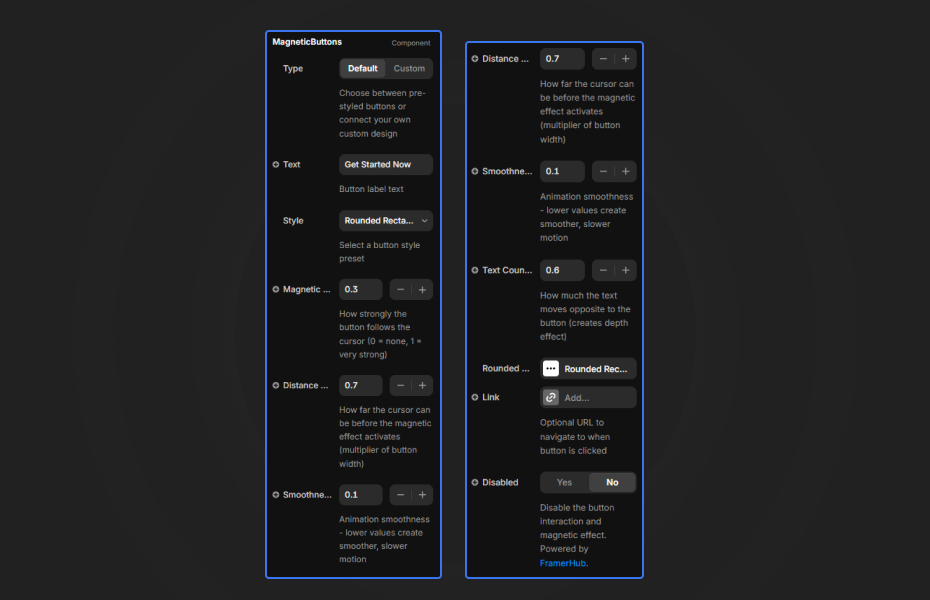
- Default: Use pre-styled button presets
- Custom: Connect your own Framer component
Magnetic Behavior
- Magnetic Strength: How strongly the button follows cursor (0-1)
- Distance Threshold: Activation range for the effect
- Smoothness: Animation fluidity (lower = smoother)
- Text Counter Move: Depth effect intensity
Button Styles Each preset has full customization for dimensions, typography, colors, and hover states.
Quick Tips
Strength Settings — Start with 0.3 for subtle effect. Use 0.5-0.8 for more dramatic following.
Smoothness — Values around 0.1 provide the best balance of responsiveness and fluidity.
Custom Mode — When connecting custom components, ensure they have visible boundaries for best effect.
Hover States — Customize hover colors to provide clear feedback when the magnetic effect activates.
Why Designers Love This
Turn ordinary buttons into engaging interactive elements. The magnetic effect adds a layer of polish and interactivity that users remember, making your interface feel premium and alive.
How to install Magnetic Buttons in Framer
- Purchase Magnetic Buttons above
- Open your FramerHub dashboard
- Find Magnetic Buttons in Recent Purchases and click "Copy URL"
- Open your Framer project
- Paste it anywhere on the canvas (Cmd/Ctrl + V)
License
Single-use license: use it in one client project with full commercial rights. No redistribution. 1 license = 1 client.
Questions before buying? Read the refund policy or email hello@framerhub.io.
Magnetic Buttons - $5
Interactive magnetic buttons that follow your cursor
You might also like
Physics Tags
Interactive 3D physics tags that react to gravity and collisions.

Portfolio Reveal Hero
Mesmerizing organic blob-mask reveal between two images.
Scratch & Win Coupon
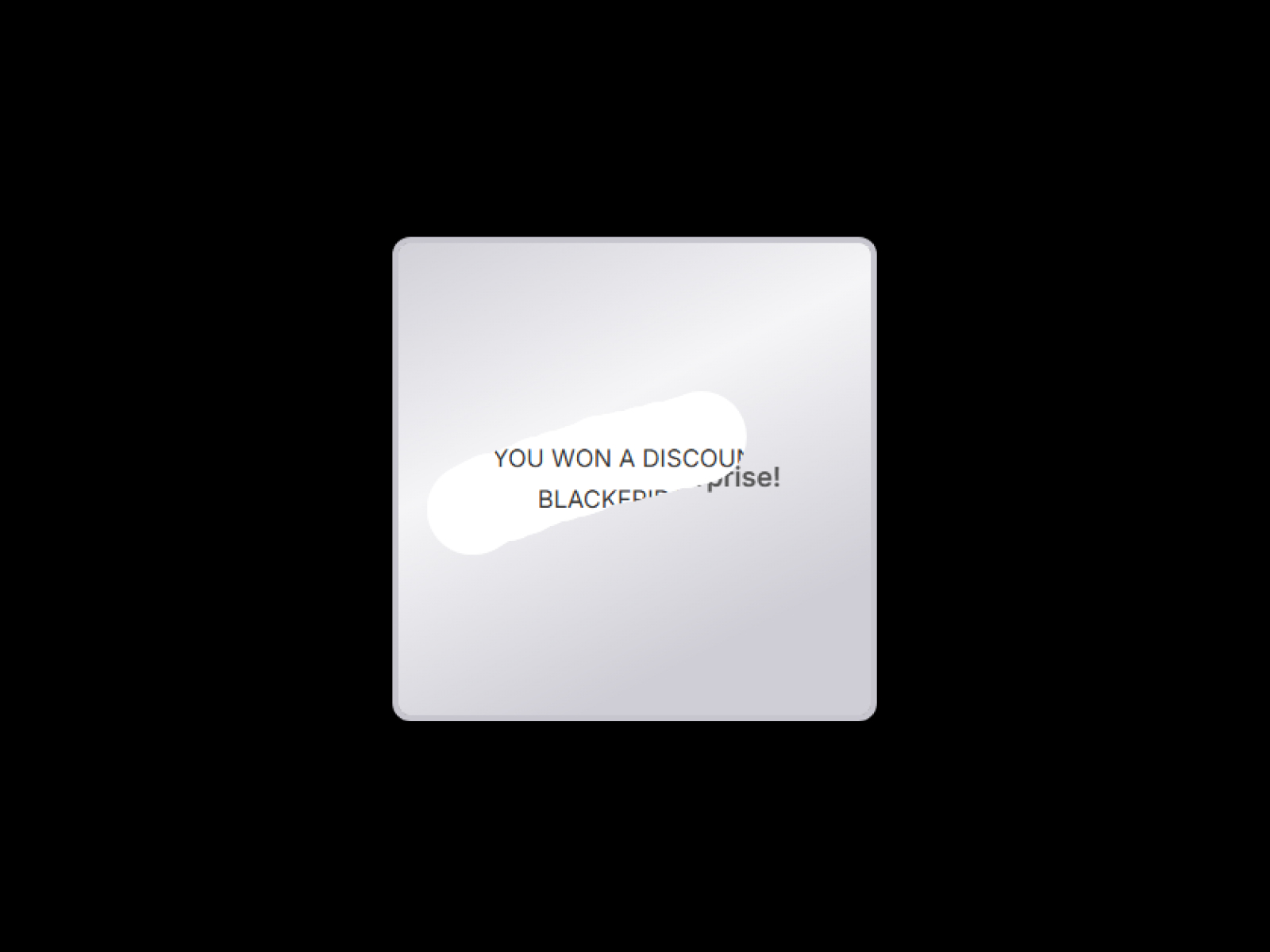
Engage users with a realistic scratch-off coupon experience.
Trusted by agencies and freelancers
2,000+ Framer users rely on FramerHub plugins and components to build serious client sites.
"The Best Framer CMS Filtering Plugin I've Found — Truly a Game-Changer. I've tested a lot of Framer CMS filtering and sorting components — both free and paid — and this is by far the best one I've come across."
- Pierre Azalbert · CMS Filter
"Excellent product and super speedy and helpful support from the team!"
- Chloe Dovey · CMS Masonry Lightbox
"We had tried a couple of other Framer CMS filter components but they were buggy, hard to use and support was slow or non-existent. CMSFilter is easier to use and has a lot of added functionality."
- Mark Williamson · CMS Filter
"CMS Masonry-Lightbox is a super flexible and polished CMS grid that makes any portfolio shine. I especially love the support for local videos and the great customer support behind it."
- Rick van der Wal · CMS Masonry Lightbox
"I got a CMS featuring setup from Shahul Hameed, and it works perfectly. He was super helpful, guided me through everything, and even stayed up late to make sure I had no issues. Great experience overall!"
- Amarachi · CMS Filter
"Very happy with this purchase. Also the creators are very helpful, can only recommend."
- Petia Dimitrova · CMS Masonry Lightbox
"He really helped me out when I needed assistance adding it to my Framer project. Super fast customer support highly recommend!"
- Salman Abdulrazaq Ali
Got questions? We've the answers
Got questions? We've the answers
Everything you need to know about FramerHub.