Inline Media Word
Put an image or video block directly inside a word.
Overview
Put an image or video block directly inside a word.
- Insert an image or video between any characters
- Rounded inline media block with simple hover motion
- Adjustable size, spacing, radius, and vertical offset
- Extended font controls for big editorial typography
Inline Editorial Text
Inline Media Word recreates the look of a large word that stays fully readable by default, then swaps specific letters into images or videos on hover. It is ideal for hero titles, fashion-style layouts, and editorial landing sections.
Features
Hover Letter Replacement Choose specific letters that should transform into rounded images or looping videos on hover.
Editorial Typography Use large type with precise spacing and a media tile that feels like part of the lettering.
Simple Layout Controls Adjust which letters are interactive plus the shared media size, gap, corner radius, and baseline offset without editing code.
Use Cases
Hero Headlines — Add a visual accent directly inside a landing page title.
Fashion and Editorial Sites — Build the exact word-image treatment shown in the reference.
Campaign Typography — Mix bold type and media for launch pages and posters.
How to Use
Installation
VIDEO PLACEHOLDER: Installation Tutorial
- Log in to your account at framerhub.io
- Navigate to framerhub.io/dashboard
- Find Inline Media Word in your Recent Purchases
- Click the "Copy" button
- Open your Framer project
- Paste the component anywhere on your canvas (Cmd/Ctrl + V)
Customization
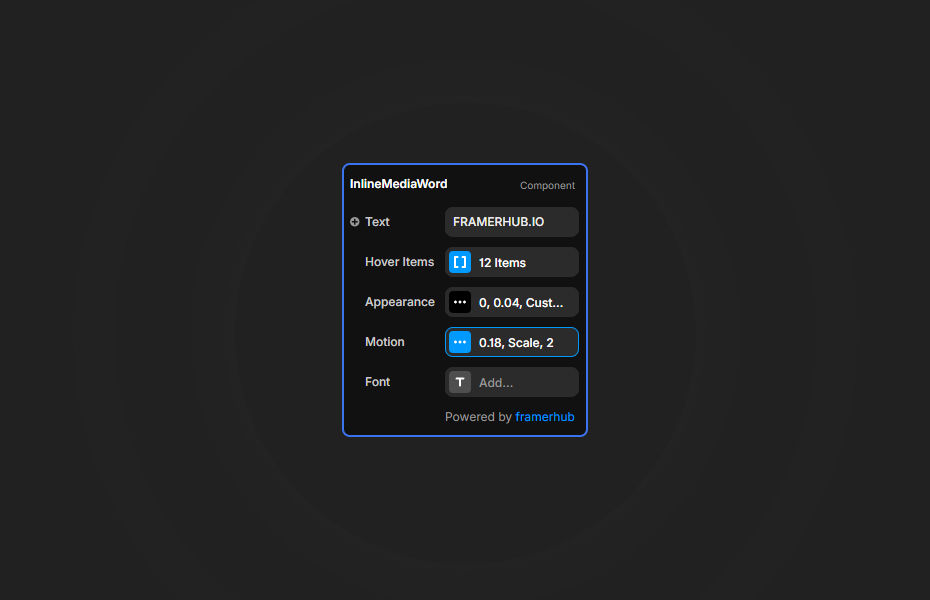
Text
- Set the word or title
- Add multiple entries in
Hover Items - Choose which letter each media tile should replace with
Letter
Appearance
- Tune gap, radius, width, height, and position
- Set text color
Motion
- Control video autoplay, fade duration, and hover effect (Scale, Slide, Rotate, Flip)
Quick Tips
Reference Match — For the provided “Celebrations” style, keep the full word visible by default and assign square or near-square tiles to the letters you want to swap on hover.
Large Type — Keep font size high and letter spacing slightly negative for the clean editorial look.
Video Choice — Short looping portrait clips work best when used as the inline insert.
License
Single Use License — Use in one client project with full commercial rights. No redistribution. 1 license = 1 client.
Refund Policy
Due to the nature of our digital products, we are unable to offer refunds, but we're here to assist you with any questions or concerns!
Why Designers Love This
This component turns a simple headline into a styled visual statement. It is fast to set up, easy to tune, and captures a modern editorial look with very little effort.
Inline Media Word - $9
Put an image or video block directly inside a word.
You might also like
Why Choose Framer Hub Components
Loved by Framer teams
Used by Framer professionals who need premium, no-code experiences.
"The Best Framer CMS Filtering Plugin I've Found — Truly a Game-Changer. I've tested a lot of Framer CMS filtering and sorting components — both free and paid — and this is by far the best one I've come across."
"He really helped me out when I needed assistance adding it to my Framer project. Super fast customer support highly recommend!"
"We had tried a couple of other Framer CMS filter components but they were buggy, hard to use and support was slow or non-existent. FramerCMSFilter is easier to use and has a lot of added functionality."
Got questions? We've the answers
Got questions? We've the answers
Everything you need to know about FramerHub.