Time To Read
Automatically calculates and displays reading time for your page.
Overview
Automatically calculates and displays reading time for your page.
- Automatic word count calculation
- Custom WPM (Words Per Minute)
- Customizable prefix and suffix
- Zero-config setup
Time To Read
Add a helpful "Read time: 5 min" label to your blog posts automatically. This component scans your page content and calculates the estimated reading time based on a customizable WPM speed.
Features
Automatic Word Count Just drop it on your CMS page. It automatically counts the words in the document body and converts them to minutes.
Custom Reading Speed Adjust the Words Per Minute (WPM) to match your audience's reading pace. Default is 200 WPM.
Fully Customizable Labels Change the prefix and suffix text to match your design style (e.g., "Read time:", "5 min read", "Estimated: 3 minutes").
Zero-Config Setup Works out of the box with no additional configuration required.
Use Cases
Blog Posts — Display estimated reading time on article pages to set reader expectations.
Documentation — Help users gauge the length of tutorials and guides.
News Sites — Show quick-read indicators for different article lengths.
How to Use
Installation
VIDEO PLACEHOLDER: Installation Tutorial
- Log in to your account at framerhub.io
- Navigate to framerhub.io/dashboard
- Find Time To Read in your Recent Purchases
- Click the "Copy" button
- Open your Framer project
- Paste the component anywhere on your canvas (Cmd/Ctrl + V)
Customization
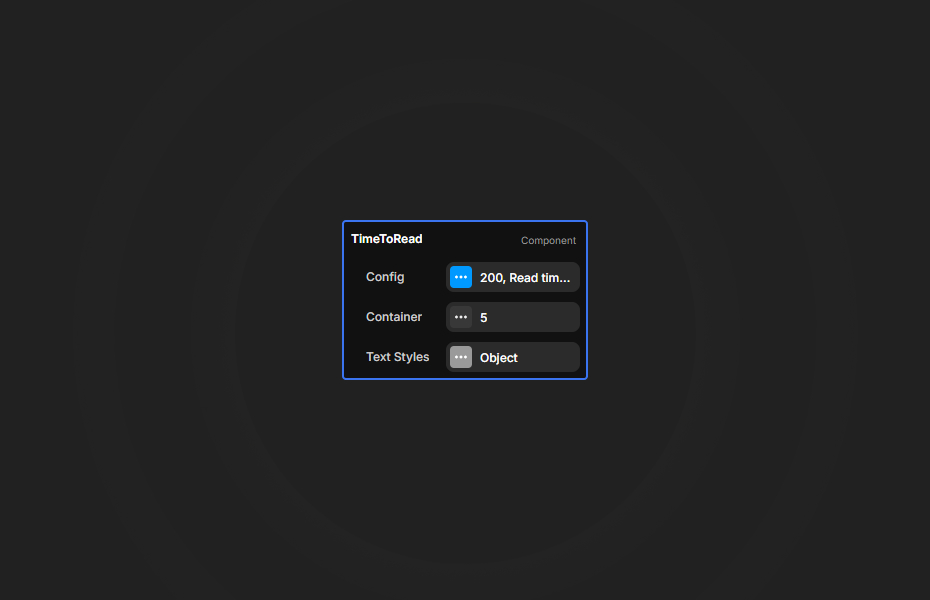
Config Section
- WPM: Set your preferred words per minute (1-1000)
- Prefix: Text before the number (e.g., "Read time:")
- Suffix: Text after the number (e.g., "min")
Container Section
- Padding: Inner spacing
- Background Color: Container background
- Border Radius: Corner rounding
- Border: Width, style, and color
- Shadow: Box shadow effect
Text Styles Section
- Font: Full typography controls
- Color: Text color
Quick Tips
Best Placement — Position the component near your article title or byline for maximum visibility.
Reading Speed — 200 WPM is average. Use 150 WPM for technical content, 250 WPM for casual reading.
Minimal Styling — The component works great with transparent background, letting it blend with your existing design.
License
Single Use License — Use in one client project with full commercial rights. No redistribution. 1 license = 1 client.
Refund Policy
Due to the nature of our digital products, we are unable to offer refunds, but we're here to assist you with any questions or concerns!
Why Designers Love This
Set it and forget it. This simple utility component adds professional polish to any blog or content-heavy site, giving your readers a helpful estimate before they dive in.
Time To Read - $9
Automatically calculates and displays reading time for your page.
You might also like
Why Choose Framer Hub Components
Loved by Framer teams
Used by Framer professionals who need premium, no-code experiences.
"The Best Framer CMS Filtering Plugin I've Found — Truly a Game-Changer. I've tested a lot of Framer CMS filtering and sorting components — both free and paid — and this is by far the best one I've come across."
"He really helped me out when I needed assistance adding it to my Framer project. Super fast customer support highly recommend!"
"We had tried a couple of other Framer CMS filter components but they were buggy, hard to use and support was slow or non-existent. FramerCMSFilter is easier to use and has a lot of added functionality."
Got questions? We've the answers
Got questions? We've the answers
Everything you need to know about FramerHub.