Retro CRT
Realistic vintage CRT monitor effect with scanlines and curvature.
Overview
Realistic vintage CRT monitor effect with scanlines and curvature.
- Realistic screen curvature
- Adjustable scanlines and grid
- Phosphor glow simulation
- Vignette effects
- Transparent background
Retro CRT
Transport your users back to the 80s and 90s with this authentic CRT monitor effect. Retro CRT simulates the curved glass, glowing phosphors, and scanlines of old-school displays, perfect for retro-themed sites, gaming portfolios, or nostalgic UI elements.
Features
Realistic Curvature Simulates the physical distortion of old CRT screens, complete with edge warping and vignette.
Details that Matter Fine-tune the scanline intensity, phosphor grid density, and glow colors to match specific eras of technology (e.g., green monochrome vs. color TV).
Performance First Built with efficient WebGL shaders to ensure smooth playback without draining battery life.
Use Cases
Gaming Portfolios — Give your site that classic arcade or console vibe.
Retro Landing Pages — Perfect for "vaporwave" or 80s/90s aesthetic brands.
Interactive UIs — Use as a container background to make modern UI elements feel like they are displayed on an old terminal.
How to Use
Installation
VIDEO PLACEHOLDER: Installation Tutorial
- Log in to your account at framerhub.io
- Navigate to framerhub.io/dashboard
- Find Retro CRT in your Recent Purchases
- Click the "Copy" button
- Open your Framer project
- Paste the component anywhere on your canvas (Cmd/Ctrl + V)
Customization
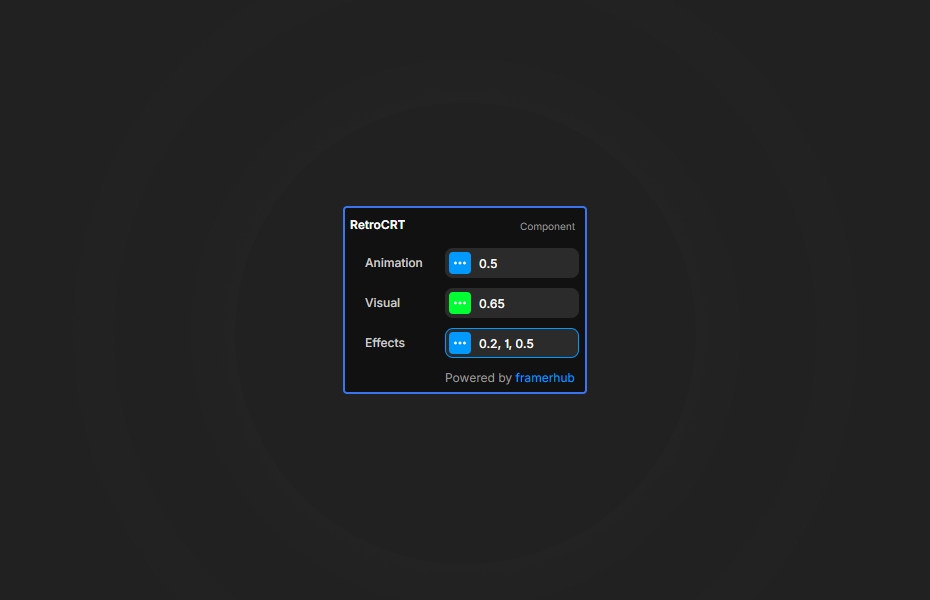
Customize the look and feel through the property controls right in Framer.
Animation
- Speed: Controls how fast the grid and effects animate.
Visual
- Phosphor Color: The "on" color of the grid/pixels.
- Grid Density: How tight the background grid pattern is.
Effects
- Scanlines: Controls the visibility of the horizontal scan lines.
- Curvature: Warps the screen edges to simulate a curved glass tube.
- Vignette: Darkens the corners to focus attention on the center.
Quick Tips
Best Performance — This effect runs on the GPU. While efficient, reducing the complexity or resolution on low-end mobile devices can save battery.
Authentic Look — For a true vintage feel, combine "Scanlines" with high "Curvature".
Color Styling — Use the "Phosphor Color" to mimic different monitor types (Green for monochrome, RGB for color TV).
Transparent Overlay — This component has a transparent background. Place it over any image, video, or content to instantly apply a CRT monitor look to it.
License
Single Use License — Use in one client project with full commercial rights. No redistribution. 1 license = 1 client.
Refund Policy
Due to the nature of our digital products, we are unable to offer refunds, but we're here to assist you with any questions or concerns!
Why Designers Love This
"It's instant nostalgia. The curvature and vignette are so perfectly tuned that you can almost feel the static electricity on the screen."
Retro CRT - $9
Realistic vintage CRT monitor effect with scanlines and curvature.
You might also like
Why Choose Framer Hub Components
Loved by Framer teams
Used by Framer professionals who need premium, no-code experiences.
"The Best Framer CMS Filtering Plugin I've Found — Truly a Game-Changer. I've tested a lot of Framer CMS filtering and sorting components — both free and paid — and this is by far the best one I've come across."
"He really helped me out when I needed assistance adding it to my Framer project. Super fast customer support highly recommend!"
"We had tried a couple of other Framer CMS filter components but they were buggy, hard to use and support was slow or non-existent. FramerCMSFilter is easier to use and has a lot of added functionality."
Got questions? We've the answers
Got questions? We've the answers
Everything you need to know about FramerHub.