Rain Overlay
Realistic rain effect for your Framer sites.
Overview
Realistic rain effect for your Framer sites.
- Customizable Rain Simulation
- 5 Unique Rain Styles
- Realistic Splash & Ripple Effects
- High Performance Canvas Rendering
Rain Overlay
Add atmospheric depth to your Framer projects with Rain Overlay. This component simulates thousands of raindrops efficiently using HTML5 Canvas, offering everything from gentle drizzles to heavy storms with realistic splashes and wind interactions.
Features
Customizable Simulation Full control over particle count, fall speed, wind direction, and drop length allows you to dial in the perfect weather conditions for your scene.
Realistic Interaction Drops create dynamic splashes upon hitting the bottom of the frame. In "Realistic" mode, they even generate expanding ripples for an extra touch of detail.
5 Visual Styles Switch instantly between distinct aesthetic modes:
- Lines: Classic rain streaks
- Dots: Stylized pixel-art or snow-like feel
- Mixed: A balanced combination
- Heavy: Thicker, more intense downpour
- Realistic: Gradient-filled drops with tear-drop shapes
Use Cases
Mood & Atmosphere — Instantly change the feeling of a hero section or landing page from static to dynamic and moody.
Data Visualization — Use as a backdrop for weather apps, environmental dashboards, or nature-themed projects.
Storytelling — Create immersive digital narratives where the environment reflects the story's emotional tone.
How to Use
Installation
VIDEO PLACEHOLDER: Installation Tutorial
- Log in to your account at framerhub.io
- Navigate to framerhub.io/dashboard
- Find Rain Overlay in your Recent Purchases
- Click the "Copy" button
- Open your Framer project
- Paste the component anywhere on your canvas (Cmd/Ctrl + V)
Customization
Detailed control over the rain simulation.
Simulation
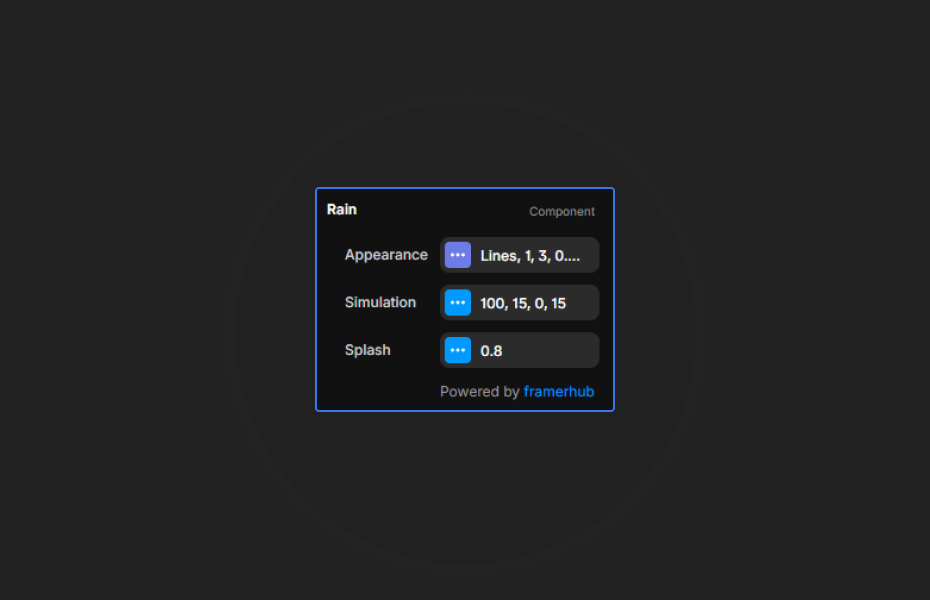
- Count: Number of raindrops (20-500) for density control.
- Speed & Wind: Adjust vertical fall and horizontal drift.
- Length: Set the vertical streak length for motion blur effects.
Appearance
- Style: Select from 5 preset styles to match your design.
- Color: Set the primary rain color.
- Opacity Range: Randomize drop opacity for depth perception.
- Size Range: Randomize drop thickness for organic variation.
Splash
- Show Splash: Toggle bottom impact effects.
- Splash Size: Scale the splash particles.
Quick Tips
Performance — Keep particle count under 150-200 on mobile to maintain smooth 60fps animations.
Depth — Use a lower opacity range (0.3 - 0.6) and varied sizes to create a sense of depth without distracting from content.
Styling — "Dots" style can double as snow or magical particles when slowed down and colored white!
License
Single Use License — Use in one client project with full commercial rights. No redistribution. 1 license = 1 client.
Refund Policy
Due to the nature of our digital products, we are unable to offer refunds, but we're here to assist you with any questions or concerns!
Why Designers Love This
Rain Overlay brings cinema-quality weather effects to the web without the weight of video files. It's fully programmatic, meaning it looks crisp on any resolution and can be tweaked endlessly to fit the exact mood of your project—from a cyber-punk neon downpour to a gentle spring shower.
Rain Overlay - $9
Realistic rain effect for your Framer sites.
You might also like
Why Choose Framer Hub Components
Loved by Framer teams
Used by Framer professionals who need premium, no-code experiences.
"The Best Framer CMS Filtering Plugin I've Found — Truly a Game-Changer. I've tested a lot of Framer CMS filtering and sorting components — both free and paid — and this is by far the best one I've come across."
"He really helped me out when I needed assistance adding it to my Framer project. Super fast customer support highly recommend!"
"We had tried a couple of other Framer CMS filter components but they were buggy, hard to use and support was slow or non-existent. FramerCMSFilter is easier to use and has a lot of added functionality."
Got questions? We've the answers
Got questions? We've the answers
Everything you need to know about FramerHub.