Liquid Data Hologram
Interactive liquid particle hologram effect from images.
Overview
Interactive liquid particle hologram effect from images.
- Image to Particles
- Liquid Physics
- Interactive Mouse Effect
- Transparent Background Support
Liquid Data Hologram
Add a futuristic, high-end feel to your project with the Liquid Data Hologram. This stunning interactive particle effect converts any image into a dynamic, 3D particle system that reacts organically to mouse movement with fluid-like physics and holographic aesthetics.
Features
Image Conversion Automatically converts any image into a detailed 3D particle system. The component analyzes brightness and alpha channels to generate points only where needed, preserving the essence of your original design.
Liquid Physics Experience smooth, organic motion with particle physics that react to your cursor. Create ripples, swirls, and "data-splash" effects that make your site feel alive and interactive.
Transparent Background Support Seamlessly layer the hologram over any background, image, or video. Full alpha transparency ensures it fits perfectly into any design system without rigid boundaries.
Customizable Visuals Take complete control over the particle size, density, glow, and bloom strength. Fine-tune the "holographic characters" to match everything from tech interfaces to creative portfolios.
Use Cases
Hero Sections — Create an immediate, immersive impact with a full-screen holographic hero background that responds to visitor exploration.
Data Visualization — Present logos, icons, or abstract data in a futuristic, tech-forward style that feels premium and innovative.
Creative Overlays — Use on top of existing layouts with the transparent background to add a layer of digital texture and interactive depth.
How to Use
Installation
VIDEO PLACEHOLDER: Installation Tutorial
- Log in to your account at framerhub.io
- Navigate to framerhub.io/dashboard
- Find Liquid Data Hologram in your Recent Purchases
- Click the "Copy" button
- Open your Framer project
- Paste the component anywhere on your canvas (Cmd/Ctrl + V)
Customization
Appearance
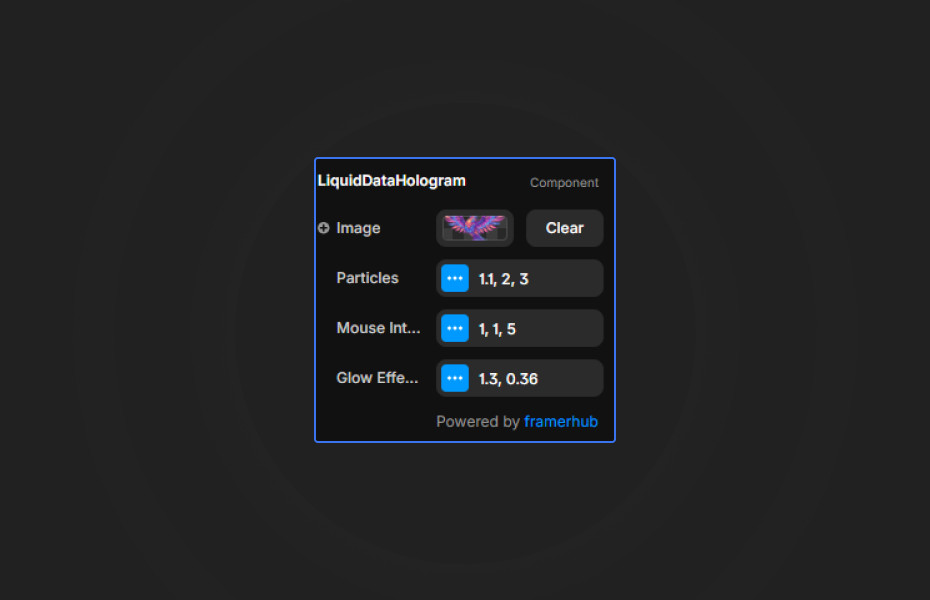
- Image: Upload any image to convert it into a particle system. High-contrast logos and silhouettes work best.
- Characters: Customize the characters used for the "data" points (e.g.,
+*/=<>[]01).
Particle Controls
- Size: Adjust the radius of individual data particles.
- Density: Controls how many points are generated (lower value = higher density).
- Threshold: Fine-tune which parts of the image become particles based on brightness.
Interaction Settings
- Brush Size: Controls the area of influence around your cursor.
- Force: Adjust how strongly particles are pushed away or pulled.
- Ripple Depth: Add Z-axis movement to create deep 3D waves on hover.
Glow & Bloom
- Bloom Strength: Control the intensity of the holographic glow.
- Bloom Radius: Adjust how far the light bleeds from each particle.
Quick Tips
Best Performance — Keep density at a balanced level (2-4) for smooth performance across all devices. For mobile-heavy sites, a density of 4-6 is recommended.
Contrast is Key — Use images with high contrast or transparent backgrounds (PNGs) to get the cleanest holographic outlines.
Layering — Place white or high-contrast text over the hologram. Add a slight shadow to the text for maximum readability when the particles move underneath.
Interaction Feel — For a "liquid" feel, use a high Brush Size with moderate Force. For a "crystalline" feel, use a smaller Brush Size and higher Ripple Depth.
License
Single Use License — Use in one client project with full commercial rights. No redistribution. 1 license = 1 client.
Refund Policy
Due to the nature of our digital products, we are unable to offer refunds, but we're here to assist you with any questions or concerns!
Why Designers Love This
The Liquid Data Hologram transforms static visuals into a mesmerizing, interactive experience. It offers that elusive "high-end tech" aesthetic with zero coding required—just drop it in, upload your asset, and watch your design come to life. Whether you're building a cyberpunk portfolio or a corporate tech landing page, this component provides the polish and interactivity needed to stand out.
Liquid Data Hologram - $9
Interactive liquid particle hologram effect from images.
You might also like
Why Choose Framer Hub Components
Loved by Framer teams
Used by Framer professionals who need premium, no-code experiences.
"The Best Framer CMS Filtering Plugin I've Found — Truly a Game-Changer. I've tested a lot of Framer CMS filtering and sorting components — both free and paid — and this is by far the best one I've come across."
"He really helped me out when I needed assistance adding it to my Framer project. Super fast customer support highly recommend!"
"We had tried a couple of other Framer CMS filter components but they were buggy, hard to use and support was slow or non-existent. FramerCMSFilter is easier to use and has a lot of added functionality."
Got questions? We've the answers
Got questions? We've the answers
Everything you need to know about FramerHub.