The Best Framer Plugins in 2026 (Honest Picks From a Plugin Builder)
 Shahul
Framer's built-in tools cover a lot. But once you're building real client projects, you hit limits. CMS filtering that breaks when you have 30+ items. Forms with no validation. Tables that only work in CMS Rich Text. Scheduled publishing that requires you to be online and click Publish manually.
That's where Framer plugins come in. The right ones save hours per project. The wrong ones add noise.
I build
Quick comparison: best Framer plugins by category
| Plugin | Category | Price | Best For |
|---|---|---|---|
| CMS / Filtering | Free / $79 / $179 | Directory sites, real estate, job boards | |
| Forms | Free / $99 / $189 | Multi-step forms, validation, conditional logic | |
| Design workflow | Free + $59 All Access | Agencies building multiple client sites | |
| Table Creator | Tables | Free | Pricing tables, product specs, documentation |
| CMS Scheduler | CMS | Free / $49 per year / $99 per year | Scheduled publishing, content calendars |
| CMS Find & Replace | CMS | Free | Bulk CMS edits, rebranding, URL migrations |
| Asset Vault | Workflow | Free | Organizing and sharing component URLs |
| Superfields | CMS | Paid | Broad CMS power-ups and field types |
| FramerForms | Forms | Free + Paid | High install base, straightforward forms |
| FramerSync | CMS / Productivity | Paid subscription | Notion, Airtable, Google Sheets sync |
| Lummi | Design / Assets | Free + Paid | Stock photos, illustrations, 3D assets |
| Shades & Tints | Design / Color | Free | Color palette generation |
| Google Search Console | SEO | Free | Live SEO metrics inside Framer |
CMS and filtering plugins
CMS plugins solve one of Framer's most common friction points: displaying and filtering dynamic content at scale without building hundreds of variants or writing custom code.
CMS Filter (FramerHub)
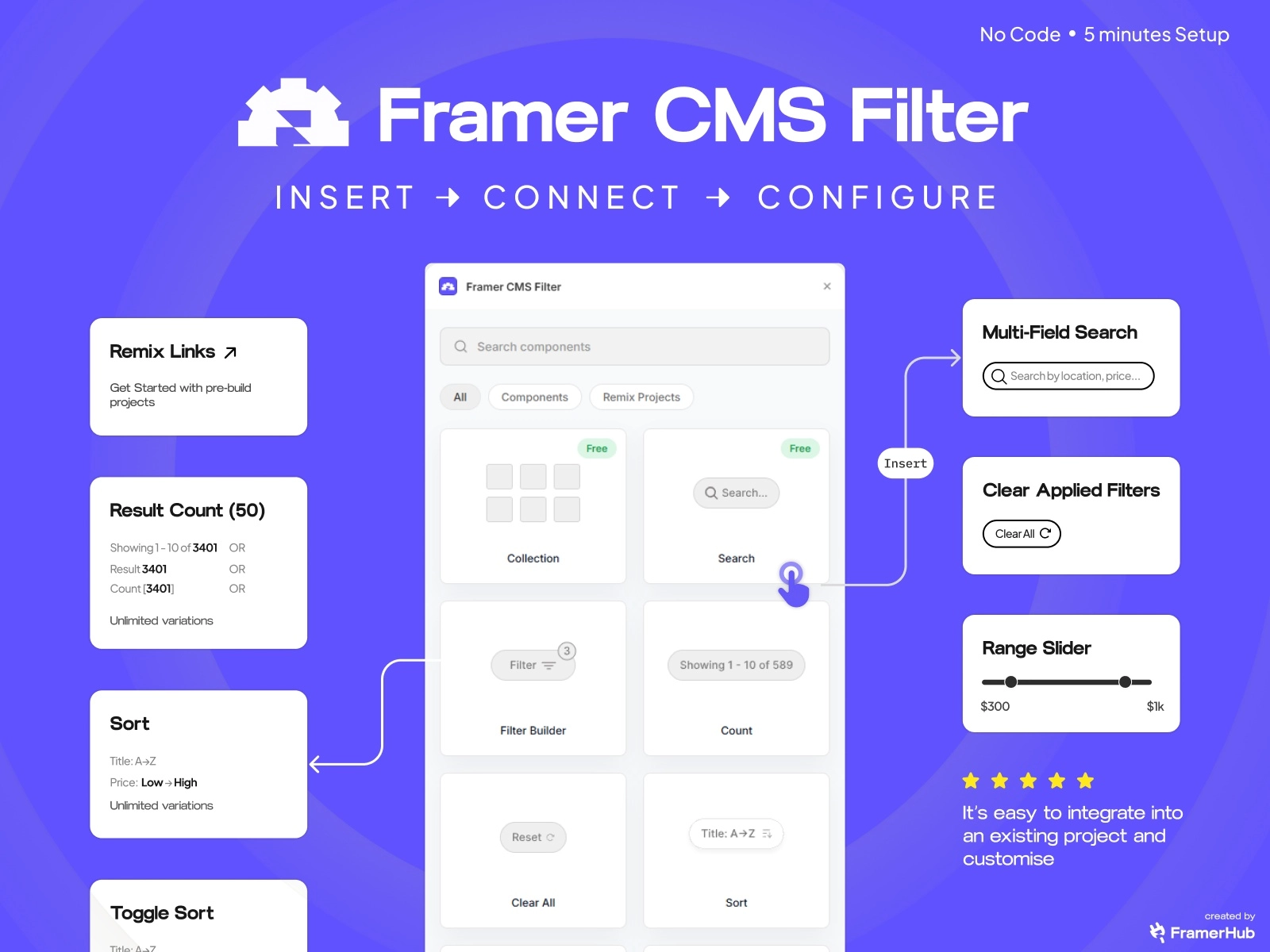
The problem it kills: You're building a real estate site, a job board, or a product catalog. Your client needs users to filter by location, price range, and type at the same time. Native Framer Dynamic Filters handle one dropdown. That's where they stop.
What it does: CMS Filter adds realtime search across multiple CMS fields, range sliders with dual handles, active filter chips, result counts, sort controls, and 3-level composable AND/OR query logic. Cross-breakpoint sync means the same filter works in different UI layouts on desktop, mobile, and overlay. Drag in the component, connect your CMS collection, configure in about five minutes.
Unique to this plugin: Multi-field search (title + description + tags + author in one input), option counts per filter choice, single and multi-reference field filtering, and auto-schema detection for CMS enum fields. These don't exist in native Framer.
Best for: Real estate listings, car marketplaces, job boards, resource libraries, template directories. Any site where visitors need to narrow down more than 30 items.
Price: Free tier (basic filtering), $79 Personal lifetime, $179 Agency lifetime. One-time, unlimited client projects.
Honest note: Superfields has more total users across its broader set of CMS features. CMS Filter is purpose-built for filtering depth specifically.
CMS Scheduler (FramerHub)
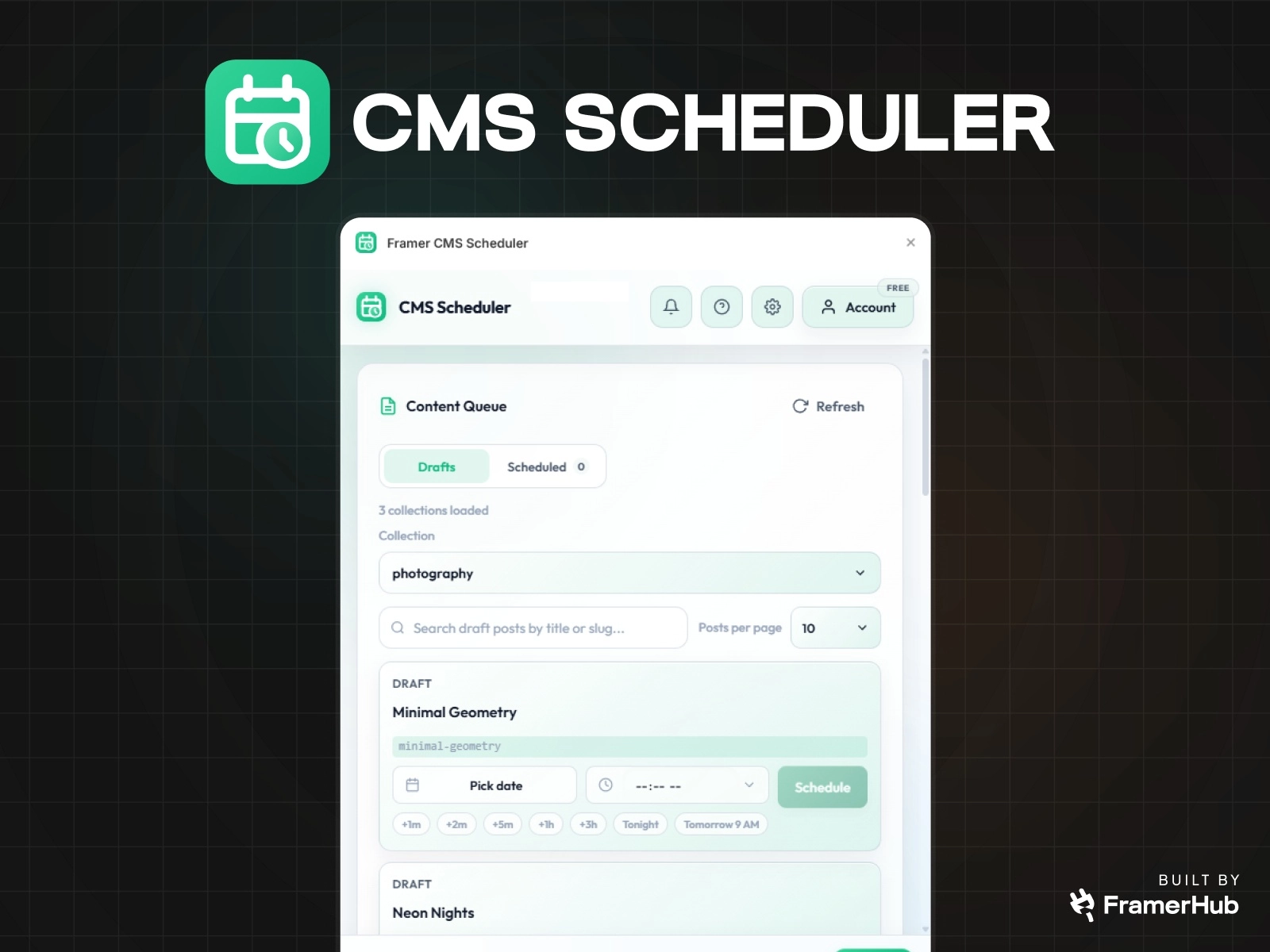
The problem it kills: You manage a blog for a client. A post needs to go live Tuesday at 9am. You have to be online to click Publish. For anyone coming from WordPress, this feels like a step backwards.
What it does: Connect a project, choose a collection, pick a date and time. The post publishes automatically. Track pending and failed runs. View logs without leaving Framer. Backend runs on Cloudflare Workers.
Important caveat: A scheduled publish also pushes any other unpublished site changes at that moment. If you have WIP edits, use a separate production project or avoid scheduling until those are ready.
Best for: Marketers scheduling campaign posts, founders shipping announcements on a timed basis, agencies handling client content calendars, anyone batch-writing content in advance.
Price: Free tier holds 3 posts in the queue at once on one connected project. Pro $49/year (unlimited queue, one project). Unlimited $99/year (unlimited queue and projects).
CMS Find & Replace (FramerHub)
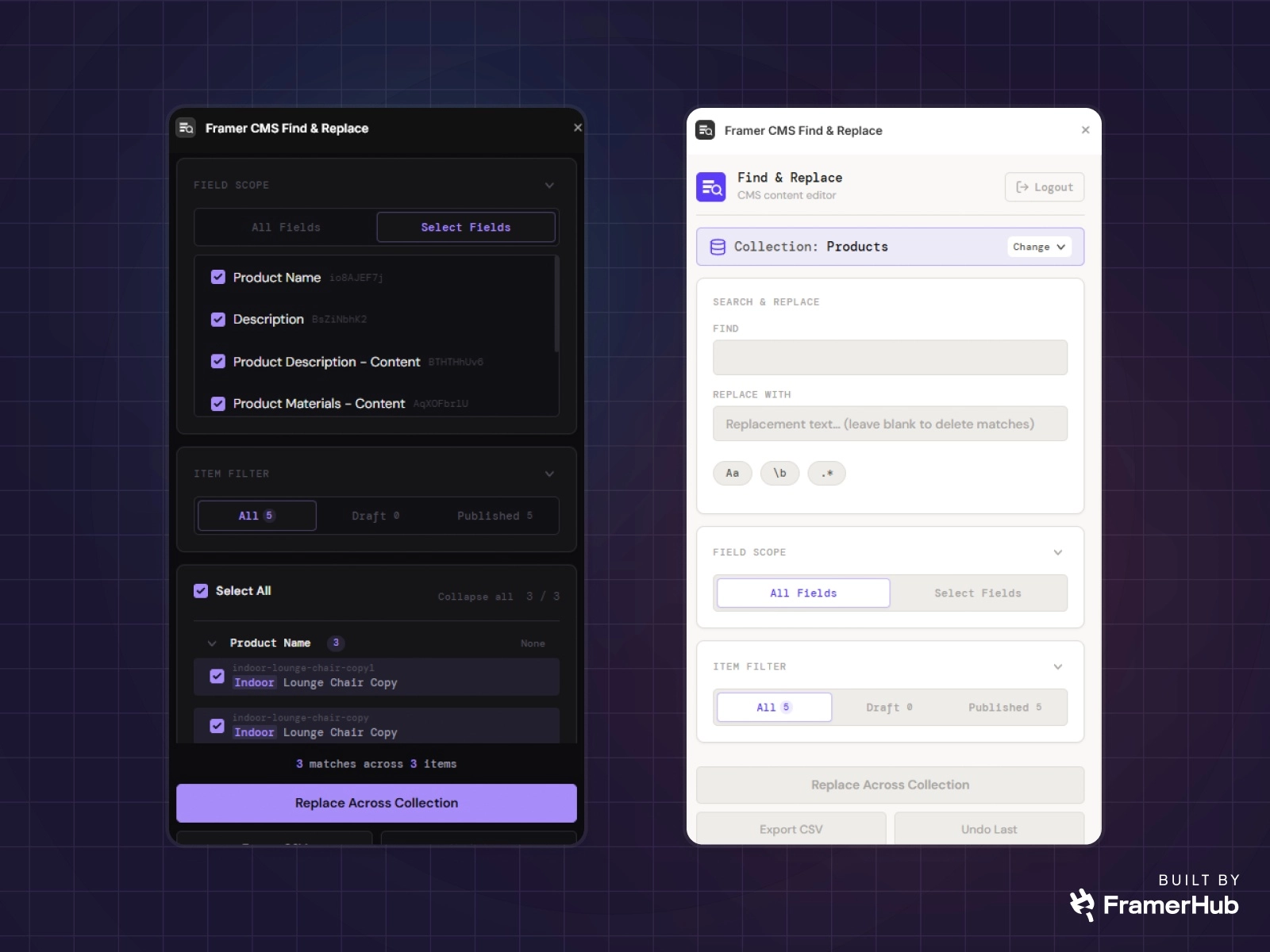
The problem it kills: A client rebrands. Their company name appears in 200 blog posts. Or a URL pattern changes across a CMS collection. In native Framer, you edit each item one by one.
What it does: Search and replace across an entire CMS collection in one pass. Filter by field scope and item status. Case sensitive, whole word, and regex matching. Preview matches before applying. Export a CSV report. Undo the last replace action.
Best for: Rebranding projects, URL migrations, fixing repeated errors across large collections. This is a CMS hygiene tool. Infrequent, but when you need it, nothing else does it cleanly.
Price: Free.
FramerSync
What it does: Syncs Notion databases, Airtable bases, and Google Sheets directly into Framer CMS collections. Changes in your source update in Framer automatically.
Best for: Projects where clients manage content in Notion or Airtable and want the Framer site to reflect changes without re-publishing. SaaS sites where product data lives in a spreadsheet.
Price: Paid subscription. Free trial available.
Honest note: FramerSync is the established option for multi-source CMS sync. It works well for data-heavy projects.
Forms plugins
Framer's native forms work for the simplest contact forms. The moment a client needs multi-step flow, conditional logic, file uploads, or validation that shows errors inline, you need more.
Form Kit (FramerHub)
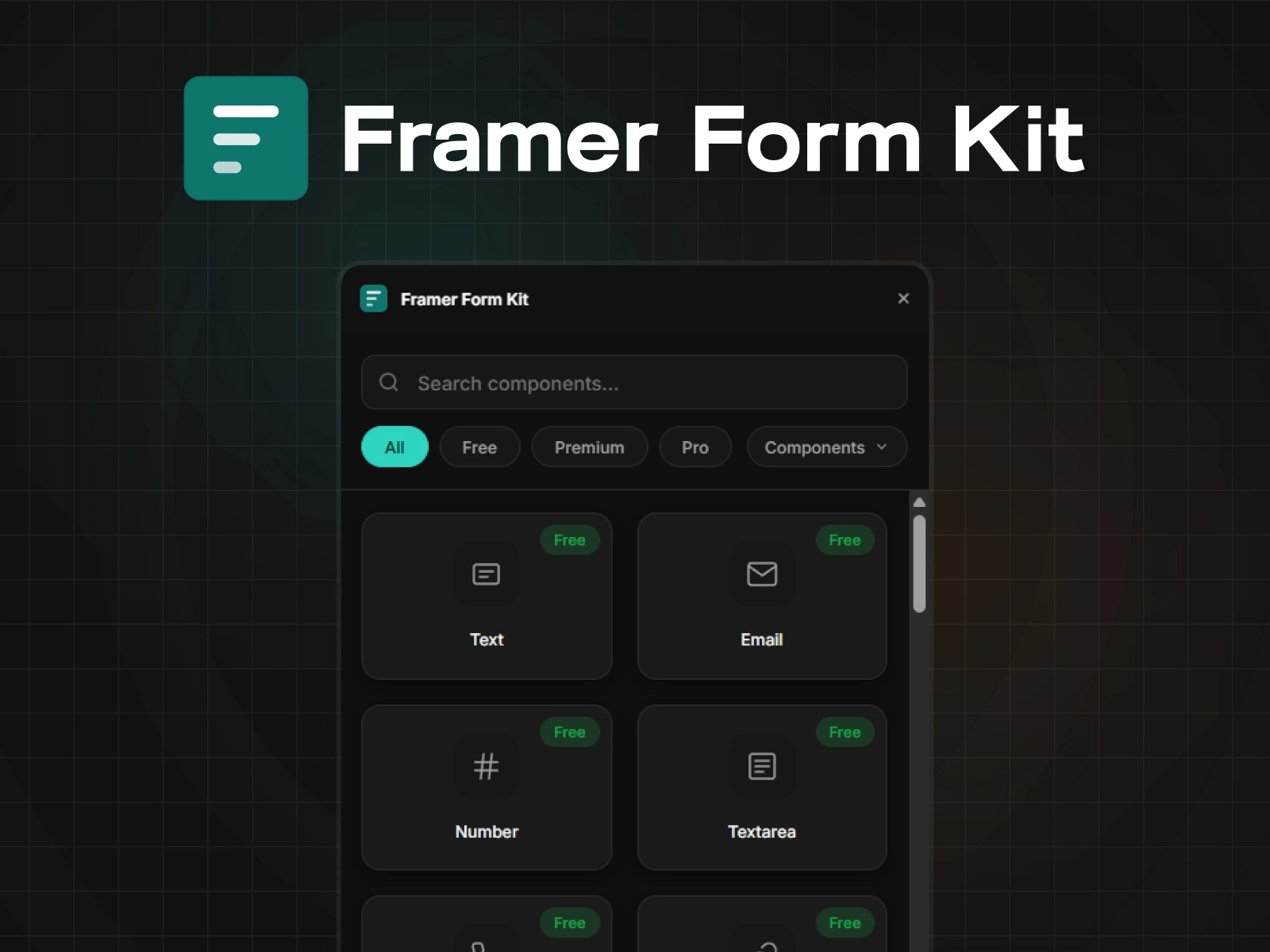
The problem it kills: "I need a multi-step form like Typeform but inside Framer, not as an iframe." Embedding Typeform or Tally breaks design consistency. The form stops looking like the site. Form Kit solves this natively inside Framer.
What it does: 35+ form components with real validation, multi-step flows, conditional logic, file uploads, star ratings, signature pads, date pickers, and more. Validation runs on blur with inline error messages. Conditional logic shows or hides fields based on prior answers. Multi-step navigation validates the current step before advancing. Auto-saves to localStorage.
What's in each tier:
- Free (10 components): Text, Email, Number, Phone, URL, Textarea, Select, Checkbox, Submit. Full validation engine, conditional logic, and auto-save included.
- $99 Premium (21 more): Radio groups, toggles, date/time pickers, sliders, star ratings, NPS, file uploads, hidden fields, reCAPTCHA, multi-step navigation, progress bars, and more.
- $189 Pro (5 more): Signature pad, rich text editor, color picker, image button, country selector with flags.
What's not in Form Kit yet: Webhooks and Stripe payments have not shipped. Don't build flows that depend on those if you need them today.
Best for: Client onboarding forms, lead capture, job applications with file uploads, multi-step questionnaires, any form where the design needs to match the site.
Price: Free tier, $99 Premium lifetime, $189 Pro lifetime.
Honest note: FramerForms has a significantly larger marketplace install base than Form Kit — it has been around longer and is a solid choice. Form Kit's differentiation is the 3-tier structure, 40+ components, and no-iframe native integration.
Design and component plugins
FramerHub Components
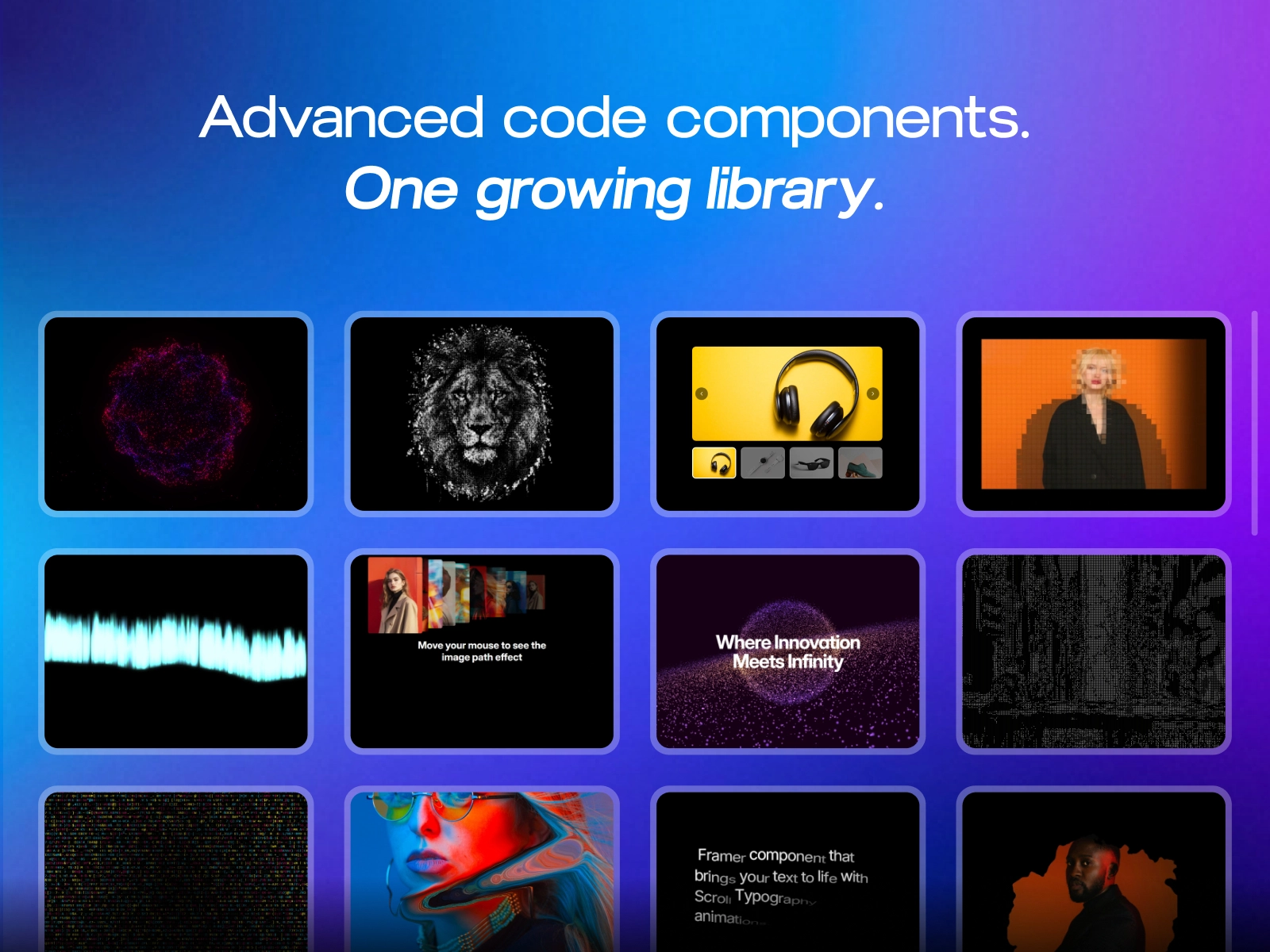
The problem it kills: You buy components from five different sellers on Gumroad, Lemon Squeezy, and Polar. They arrive via email. You track updates manually. One breaks after a Framer update and the seller is unresponsive. On the next client project you start over.
What it does: 90+ code components in one searchable plugin inside Framer. Search and filter without leaving the editor. Drag and drop into any project. Auto-updates from the server when fixes ship. 20+ components are free. 1-2 new pro components added weekly.
Key point: Most of these are code components, meaning functional behavior beyond design layouts. That's the differentiator vs. design-only libraries.
Best for: Agencies and freelancers building three or more client projects per year who need a consistent, updateable component library.
Price: 20+ free components. Individual components $9-$29. All Access: $59 for the full growing library. Also available at
Honest note: Flowbase has 3,500+ components. Cosmoe has over 1,000. FramerHub Components competes on code depth and operational efficiency, not quantity. The value is 90 components you'll actually use, auto-updating, in one place.
Shades & Tints
What it does: Generates a full color palette, all shades and tints, from any color you select inside Framer. Apply the palette to your project in one click.
Best for: Building a complete color system quickly, especially for client projects where brand colors need multiple weight variants.
Price: Free.
Why it's on this list: Color consistency across a large project is tedious to manage manually. This handles it in seconds.
Clonify
What it does: A library of pre-built design sections and full page layouts you can drop into any Framer project. Hero sections, feature blocks, pricing tables, footer templates.
Best for: Moving faster on initial page structure. Freelancers building multiple similar sites where starting from pre-built sections saves 30 to 60 minutes per project.
Price: Freemium. Core sections free, premium sections behind a paid tier.
Honest note: Clonify sections have a distinct style. They work well as starting points but usually need customization to match a client's brand.
Table plugins
Framer's native tables only work inside CMS Rich Text fields. That's a hard limit. You can't put a pricing comparison table on a landing page, a product spec table on a product page, or a data table on a dashboard.
Table Creator (FramerHub)
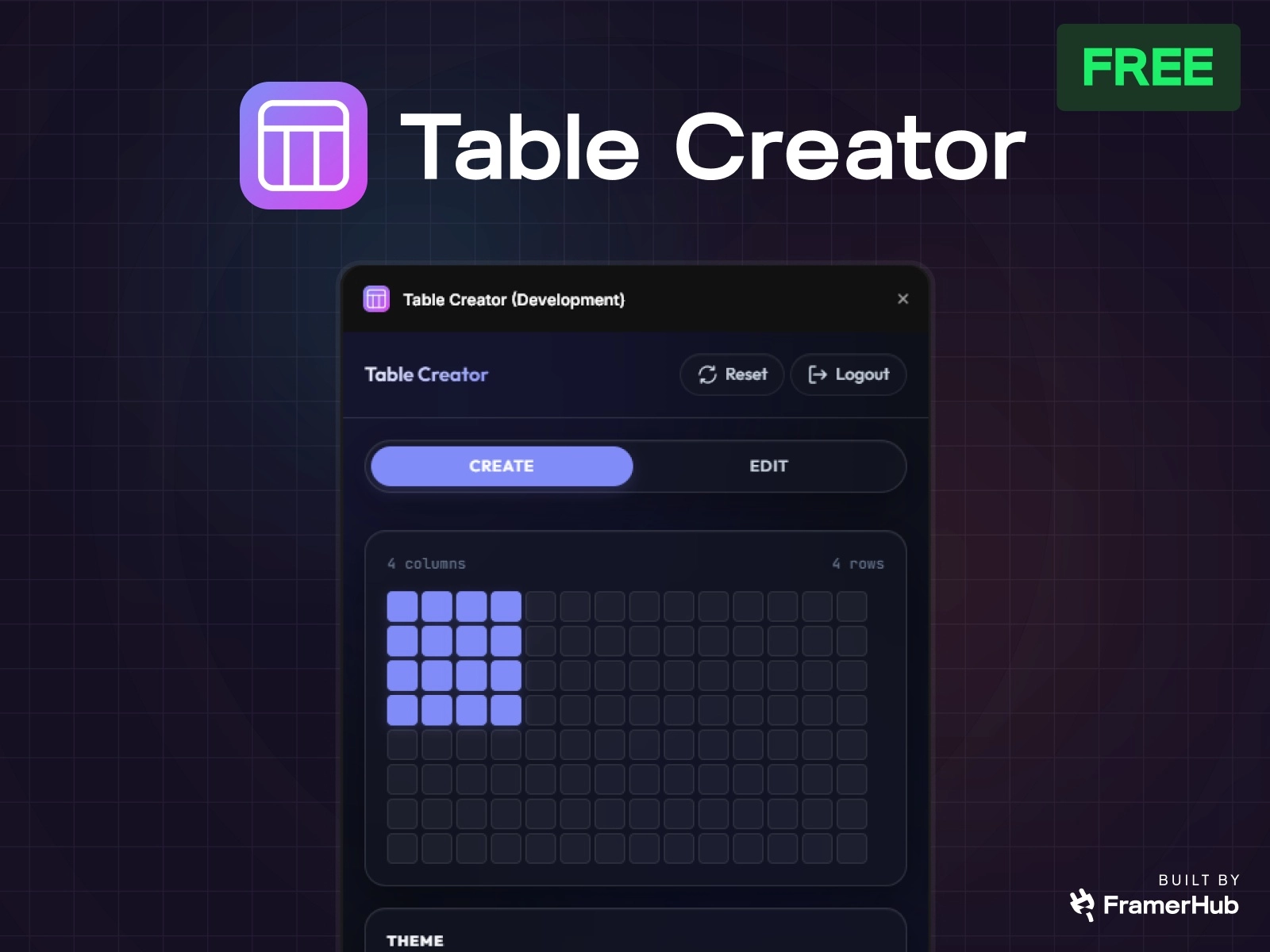
The problem it kills: You need a pricing comparison table on a landing page. Native Framer says no unless you're in a CMS Rich Text field.
What it does: Open the plugin, set columns and rows, pick a theme, hit Create. Edit data inline or paste from a spreadsheet. CSV import supported. Tables work on any page. Interactive sorting, filtering, and pagination are toggleable. Configure items per page and pagination style. Three built-in themes: Minimal Light, Soft Grid, and Dark Pro.
Best for: Pricing comparison tables, product spec pages, documentation tables, dashboard data, feature comparison tables. Anywhere you need structured data outside of CMS Rich Text.
Price: Free.
Asset management plugins
Asset Vault (FramerHub)
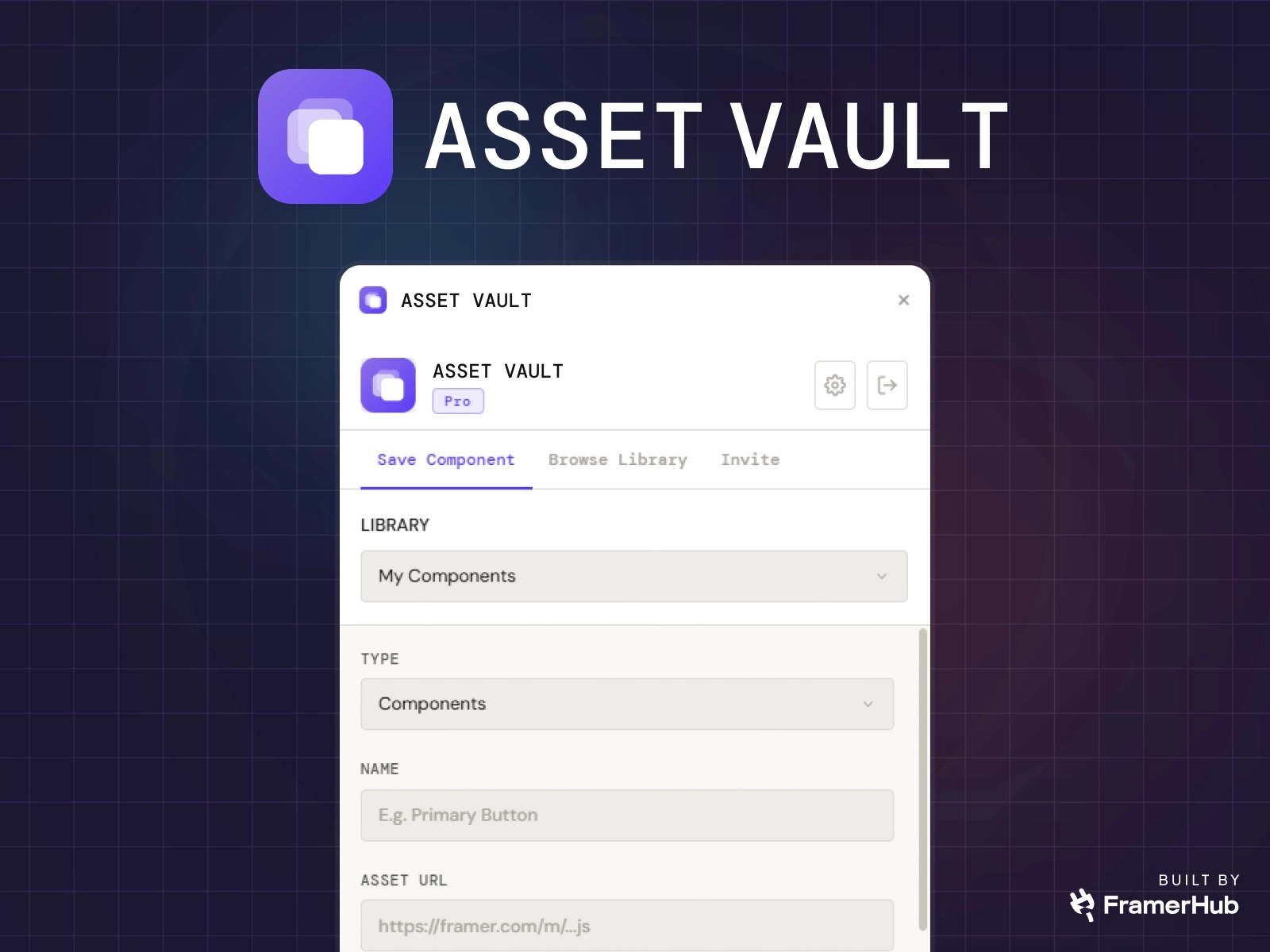
The problem it kills: You collect reusable Framer component URLs and Remix links across client work, experiments, and template research. They end up scattered across bookmarks, Slack messages, and browser tabs.
What it does: Save component module URLs and Framer Remix links in one organized vault inside Framer. Organize with libraries, categories, tags, thumbnails, and favorites. Search and filter saved assets. Shared libraries let you invite team members by email and set per-user add/edit/delete permissions.
Best for: Agencies with multiple team members. Prolific builders who accumulate reusable assets across projects.
Price: Free. Note: Asset Vault just launched. No user reviews yet.
SEO plugins
Framer handles SEO basics well: meta tags, sitemaps, Open Graph. These plugins add visibility you don't get from the native editor.
Google Search Console
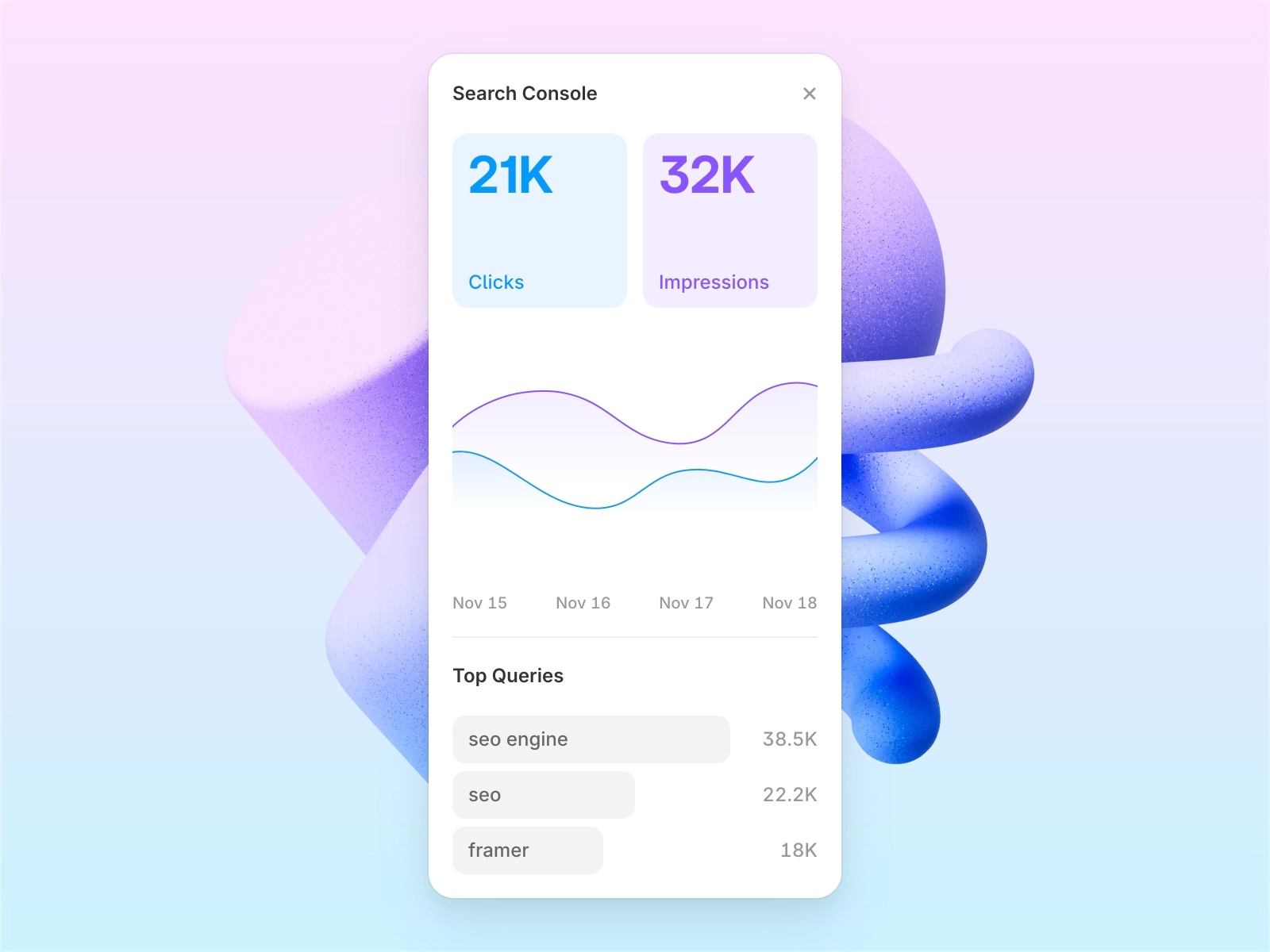
What it does: Connects to your Google Search Console account and displays live SEO metrics directly inside Framer's canvas. Impressions, clicks, average position, and top performing keywords per page.
Best for: Teams who want to monitor site performance without switching between Framer and Google Search Console. Useful for client reporting when you need to show ranking progress.
Price: Free.
Productivity plugins
Lummi

What it does: A curated library of stock photos, illustrations, and 3D assets, searchable directly inside Framer. Drop assets without leaving the canvas. Lummi focuses on distinctive visuals that don't look like the same five Unsplash photos everyone uses.
Best for: Designers who need high-quality visuals during the build phase without the context switch to external stock sites.
Price: Free tier. Paid tier for full asset library.
CMS Export
What it does: Exports Framer CMS collections as CSV files, and imports CSV data back in. No configuration required.
Best for: Migrating CMS data from other platforms (Webflow, Airtable), backing up content before major changes, seeding a new CMS collection from a spreadsheet.
Price: Free.
Honest note: This is a utility plugin. You won't use it every day. When you need it, nothing else does the job as cleanly.
How to pick the right Framer plugins
Not every project needs every plugin. Here's how to approach the decision.
Start with the project, not the plugin. Does your client need filtering? CMS Filter. Does the form need validation and multi-step flow? Form Kit. Are you rebuilding the same UI patterns across five client sites? Components. Match the tool to the actual project need.
Check what Framer handles natively first. Framer has improved fast. Dynamic Filters cover basic category filtering. The native form handles simple contact forms. Plugins earn their place when native tools hit their ceiling.
One-time vs recurring cost matters. Most FramerHub plugins are one-time purchases. For a freelancer billing $3,000-$8,000 per client site, a $79 plugin that saves two hours is clear ROI on the first project. If you're building multiple sites per year, check whether the
Install base is a signal, not the whole story. FramerForms has 12,600+ installs. Superfields has more users than CMS Filter. These are real facts. A larger install base usually means more community answers, more tutorials, and more battle-tested usage. Factor that in. Newer or smaller products sometimes solve narrower problems better, but they carry more uncertainty.
Creator reachability matters more than it sounds. A purchased plugin that breaks after a Framer update and has no support is worse than not buying it. Check that the creator is active and responsive before spending money.
FramerHub plugin ecosystem: what's accurate
For transparency, here's the real state of FramerHub's plugin lineup as of August 2026:
Strongest products: CMS Filter has the clearest differentiation and the most traction of anything we ship. Form Kit is further along than its install base suggests: 35 components across 3 clear tiers.
Newer, smaller tools: Table Creator, CMS Scheduler, CMS Find & Replace, and Asset Vault are free utilities. They solve real problems but do not have the install base the older products do yet.
What FramerHub does not build: There is no FramerHub Shopify plugin, no Notion Sync plugin, and no Gallery Kit. If you see references to those, they're inaccurate.
All FramerHub plugins use one-time pricing (no subscriptions), include free tiers, are licensed for unlimited client projects, and have a 14-day refund policy.
FAQ
What are the best free Framer plugins in 2026?
The best free Framer plugins in 2026 include Lummi (stock photos, illustrations, 3D assets), Shades and Tints (color palette generation), Google Search Console (live SEO metrics inside Framer), and CMS Export (CSV import/export for CMS collections). FramerHub ships five free plugins: Table Creator, CMS Find and Replace, Asset Vault, and the free tiers of CMS Filter and CMS Scheduler.
What is the best Framer CMS plugin for filtering and search?
CMS Filter by FramerHub handles realtime search, multi-field filtering, range sliders, sort controls, active filter chips, and cross-breakpoint sync. Free tier available. $79 Personal or $179 Agency, both one-time. Superfields is a broader alternative with more total users across a wider set of CMS features.
Are Framer plugins free?
Many are. Color tools, SEO dashboards, asset libraries, and utility plugins typically have free tiers or are completely free. Plugins that solve complex workflow problems, advanced CMS filtering, full form systems, component libraries, are usually paid as one-time purchases. Most FramerHub plugins have free tiers.
How do I install a Framer plugin?
Open your Framer project. Click the plugin icon in the left sidebar (or press P). Search for the plugin by name in the Framer Marketplace. Click Install. The plugin appears in your sidebar immediately and is available across all your projects on that account.
What is the difference between FramerHub plugins and other Framer plugins?
FramerHub focuses on specific problems and solves them deeply. All products use one-time pricing with no subscriptions, include free tiers, and are licensed for unlimited client projects. Superfields has more total users. FramerForms has a larger form plugin install base. FramerHub differentiates on code component depth, focused problem-solving, one-time pricing, and a creator who is directly reachable for support.
Can I use Framer plugins on client projects?
Yes. All FramerHub plugins are licensed for unlimited client projects with a single purchase. Check individual plugin licenses for third-party tools, most are similarly structured but confirm before purchasing.
Bottom line
The best Framer plugins in 2026 are the ones that solve the specific problem you're hitting on your current project.
For most client work, a short stack does most of the work. CMS Filter for any directory or listing site with multi-field filtering needs. Form Kit if you need multi-step or conditional forms inside Framer. The Components plugin if you're building multiple sites and want a consistent, auto-updating library. Free tools like Table Creator, Lummi, and Google Search Console on every project.
Be honest about what Framer already handles. Check your options, including competitors. Buy what solves the actual problem.
Last updated: June 2026
Shahul
Founder of FramerHub